
Technical SEO is the practice of optimizing your website’s infrastructure so search engines can efficiently crawl, render, and index your content, which directly determines your rankings, traffic, and conversions. While content and backlinks get most of the attention, technical SEO is foundational for both traditional search results and AI-powered search visibility. Without it, even the strongest content goes unranked. The role of technical SEO in performance spans every layer of your site: server response times, JavaScript execution, HTML structure, and mobile accessibility. Understanding each layer gives you a measurable edge over competitors who treat technical SEO as optional.
How does technical SEO affect site speed and user responsiveness?
Site speed is not just a ranking signal. It is a direct revenue driver. A 1-second page-load delay reduces conversions by approximately 7%, meaning an e-commerce site generating $1 million per month could lose $70,000 monthly from a single second of latency. That number reframes speed optimization from a technical task into a financial priority.

Google measures user responsiveness through Core Web Vitals, and the most demanding metric in 2026 is Interaction to Next Paint (INP). INP captures how quickly your page responds after a user clicks, taps, or types. A good INP score is 200 milliseconds or less, measured at the 75th percentile of all user interactions. That percentile detail matters: even a small fraction of slow interactions can drag your score into the “needs improvement” range and suppress rankings.
The most common cause of poor INP scores is heavy JavaScript. INP regressions frequently stem from JavaScript-heavy single-page applications where event handlers compete for the main thread. Every click triggers a chain of script execution, and if that chain blocks the browser, users feel the lag before the page responds.
Common technical causes of slow speed and poor INP include:
-
Render-blocking scripts loaded in the document head before critical content
-
Unoptimized third-party tags from analytics, chat widgets, and ad platforms
-
Large JavaScript bundles that delay time-to-interactive on first load
-
Synchronous API calls that pause rendering while waiting for server responses
-
Excessive DOM size that slows layout recalculation on interaction
Pro Tip: Use "scheduler.yield()` to break up long JavaScript tasks into smaller chunks. This technique hands control back to the browser between tasks, reducing INP without rewriting your entire front-end architecture. Pair it with the SearchX website speed test tool to measure before and after impact.
What is crawlability and why does it matter for SEO performance?
Crawlability is the degree to which search engine bots can access and process your site’s pages. If Googlebot cannot reach a page, that page cannot rank. The importance of technical SEO starts here: no amount of content quality compensates for a page that is blocked, buried in redirect chains, or returning slow server responses.
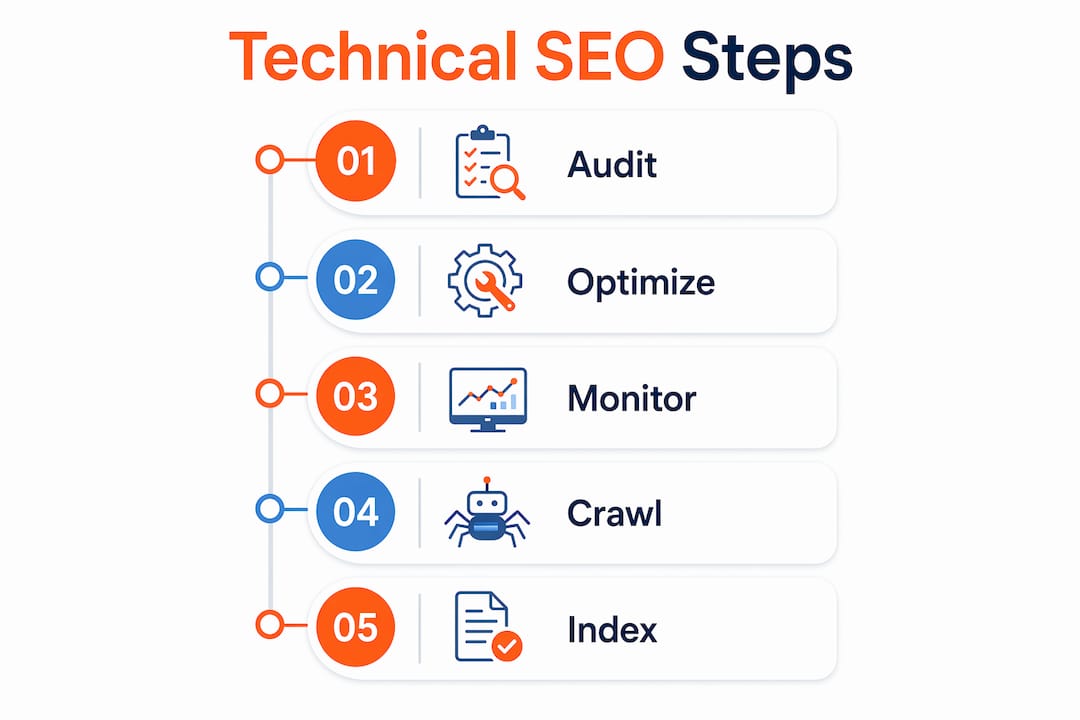
A common misconception is that every site needs to obsess over crawl budget. Crawl budget is primarily a concern for sites with over one million URLs or large volumes of low-quality duplicate pages. For most sites, the goal is crawl efficiency: making it easy for Googlebot to find and process your most valuable pages without wasting time on noise.
Here are four practices that improve crawl efficiency immediately:
-
Consolidate duplicate content using canonical tags. Self-referential canonicals on every page prevent URL variants from splitting crawl attention across near-identical pages.
-
Reduce redirect chains. Each redirect adds latency and consumes crawl resources. A chain of three or more redirects is a signal that your site structure needs cleanup.
-
Submit accurate XML sitemaps through Google Search Console. Sitemaps tell Googlebot which pages matter most and when they were last updated.
-
Improve server response time. Slow servers cause Googlebot to crawl fewer pages per session. A server response under 200ms is the standard to target.
Google Search Console’s Crawl Stats report gives you real data on crawl frequency and server response times. Use it to identify patterns: if crawl rate drops after a site update, that is a signal worth investigating before rankings follow. Guessing at crawl behavior without this data is the most common mistake site owners make.
How do indexing limits and technical structure impact search visibility?
Indexing is where many technically sound sites quietly lose ground. Googlebot fetches and processes only the first 2 MB of any URL, excluding PDFs. Every byte beyond that cutoff is ignored. It is never fetched, never rendered, and never indexed.
For most pages, 2 MB sounds like plenty. But bloated HTML with excessive inline CSS, embedded SVGs, large JSON-LD blocks, and verbose template markup can push pages past that threshold faster than you expect. The consequence is silent: your meta description, structured data, or body content simply does not get indexed, and you never receive an error message.
Oversized HTML payloads silently degrade indexing because the truncation happens without any visible warning in Search Console. The fix requires auditing your HTML output and restructuring what appears early in the document.
Key practices for protecting indexability include:
-
Place critical metadata first. Title tags, canonical tags, and meta descriptions must appear in the first portion of your HTML, not after large script blocks or inline styles.
-
Externalize CSS and JavaScript. Inline resources inflate HTML payload. Moving them to external files keeps your HTML lean and within Googlebot’s processing window.
-
Audit structured data placement. JSON-LD blocks placed at the bottom of large pages risk truncation. Move them to the document head or early in the body.
-
Use Google’s URL Inspection tool to verify what Googlebot actually sees versus what your browser renders.
Pro Tip: Run a crawl with Screaming Frog or Sitebulb and filter pages by HTML size. Any page exceeding 100 KB of raw HTML deserves a closer look. Pair this with a technical SEO audit to catch indexing gaps before they compound.
The Web Rendering Service (WRS) adds another layer. Google renders JavaScript separately from the initial fetch, often with a delay. Content that only appears after JavaScript execution may be indexed later or not at all if rendering resources are constrained. Prioritizing server-side rendering or static HTML for critical content removes this uncertainty entirely.
What technical SEO best practices ensure top rankings and great UX?
The impact of technical SEO on rankings compounds when you address speed, crawlability, and indexability together rather than in isolation. The following table maps the most impactful technical SEO tasks to their ranking effects and the tools used to implement them.
| Technical SEO task | Impact on rankings and UX | Primary tools |
|---|---|---|
| HTTPS implementation | Trust signal; required for ranking | Certbot, hosting SSL panels |
| Core Web Vitals optimization | Direct ranking factor via Page Experience | Google Search Console, PageSpeed Insights |
| Mobile-friendliness | Mobile-first indexing compliance | Google Mobile-Friendly Test |
| XML sitemap submission | Faster discovery of new and updated pages | Google Search Console |
| Structured data markup | Enables rich results; improves click-through rates | Schema.org, Google Rich Results Test |
| Canonical tag implementation | Prevents duplicate content dilution | Screaming Frog, Sitebulb |
| Server response time | Affects crawl rate and user experience | GTmetrix, WebPageTest |
Beyond the checklist, the most effective technical SEO programs run on a regular audit cycle. Monthly crawls using tools like Screaming Frog or Sitebulb catch regressions introduced by site updates, new third-party scripts, or CMS template changes. Google Search Console should be reviewed weekly for coverage errors, manual actions, and Core Web Vitals shifts.
One area that is growing in importance is the intersection of technical SEO and AI search. Technical SEO affects AI search visibility directly: if your content is not properly indexed and structured, AI-powered search engines like Google’s AI Overviews and Perplexity cannot surface or accurately cite it. Clean HTML structure, structured data, and fast server responses are now prerequisites for appearing in AI-generated answers, not just traditional blue-link results.
For competitive benchmarking, reviewing a technical SEO checklist against your top-ranking competitors reveals gaps you might not find through self-auditing alone. Competitors who rank above you often have faster servers, cleaner crawl paths, and better-structured HTML, not necessarily better content.
Key takeaways
Technical SEO determines whether your site gets crawled, indexed, and ranked, making it the prerequisite for every other SEO investment to pay off.
| Point | Details |
|---|---|
| Speed directly affects revenue | A 1-second delay cuts conversions by 7%; optimize INP to 200ms or less. |
| Crawl efficiency beats crawl budget | Fix duplicates, redirects, and server speed using real Search Console data. |
| Googlebot’s 2 MB limit is real | Place critical metadata and structured data early in HTML to avoid silent truncation. |
| Technical SEO enables AI visibility | Properly indexed, structured content is required to appear in AI-generated search results. |
| Audits must be ongoing | Monthly crawls and weekly Search Console reviews catch regressions before rankings drop. |
Why technical SEO is the foundation I refuse to skip
Most marketers treat technical SEO as a one-time setup task. Run the audit, fix the errors, move on. That approach works until a CMS update injects render-blocking scripts, a new feature bloats HTML past 2 MB, or a third-party tag doubles your INP score. I have seen sites lose 30% of organic traffic in two weeks from a single template change that nobody flagged.
What changed my thinking was the INP rollout. INP is the hardest Core Web Vital to optimize because it measures worst-case latency, not averages. A single slow interaction on a checkout page can pull your entire site’s score below the “good” threshold. That is not a content problem or a backlink problem. It is a JavaScript architecture problem, and no amount of keyword research fixes it.
The other shift I have noticed is how technical SEO now feeds directly into AI search performance. Sites with clean structure, fast responses, and properly indexed content are getting cited in AI Overviews and Perplexity results at a much higher rate than sites with technical debt. The algorithm has changed, but the underlying requirement has not: make your site easy to process, and search systems will reward you.
My practical advice is to treat technical SEO as infrastructure maintenance, not a project. Schedule monthly crawls. Review Search Console weekly. Test INP after every major front-end deployment. The sites that compound their rankings year over year are the ones where technical health is a standing agenda item, not a quarterly fire drill.
— SEO
Ready to put technical SEO to work for your site?
Understanding the mechanics is one thing. Executing them consistently across a live site, while managing content, campaigns, and everything else, is where most teams fall short.

SearchX builds technical SEO programs that connect infrastructure health directly to revenue outcomes. Whether you need a full audit, ongoing monitoring, or a clear roadmap for improving Core Web Vitals and crawl efficiency, the team works from data, not guesswork. Start with the keyword research and SEO strategy resource to see how SearchX connects technical foundations to qualified traffic growth. Every recommendation is tied to measurable results, not vanity metrics.
FAQ
What is the role of technical SEO in performance?
Technical SEO optimizes your site’s infrastructure so search engines can crawl, render, and index content efficiently, which directly determines rankings, organic traffic, and user experience quality.
How does technical SEO affect site speed?
Technical SEO addresses the root causes of slow load times, including render-blocking JavaScript, large HTML payloads, and slow server responses, all of which affect both Core Web Vitals scores and conversion rates.
What is INP and why does it matter for SEO?
INP (Interaction to Next Paint) measures how quickly a page responds to user interactions. A score of 200ms or less is considered good, and Google uses it as a ranking signal under the Page Experience update.
How often should you run a technical SEO audit?
Monthly crawls using tools like Screaming Frog or Sitebulb, combined with weekly Google Search Console reviews, catch regressions before they compound into ranking drops.
Does technical SEO affect AI search results?
Yes. Technical SEO affects AI visibility directly: content that is not properly indexed and structured is rarely surfaced or cited by AI-powered search engines like Google’s AI Overviews or Perplexity.