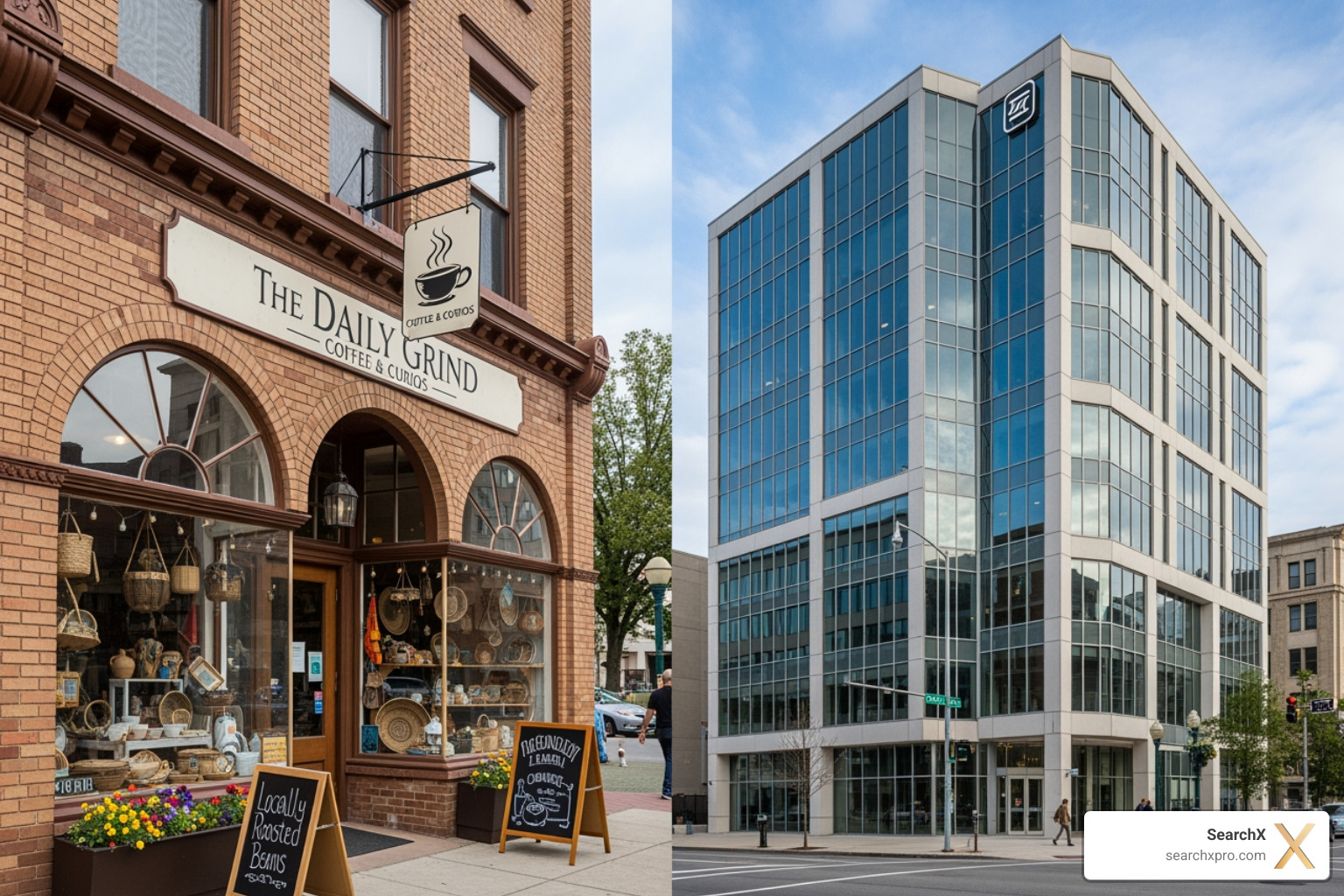
Decoding Schema: LocalBusiness vs. Organization
Understanding local business vs organization schema is crucial for standing out in search results. The right schema type tells search engines who you are and what you do, directly impacting your local search appearance.
Here’s a quick guide:
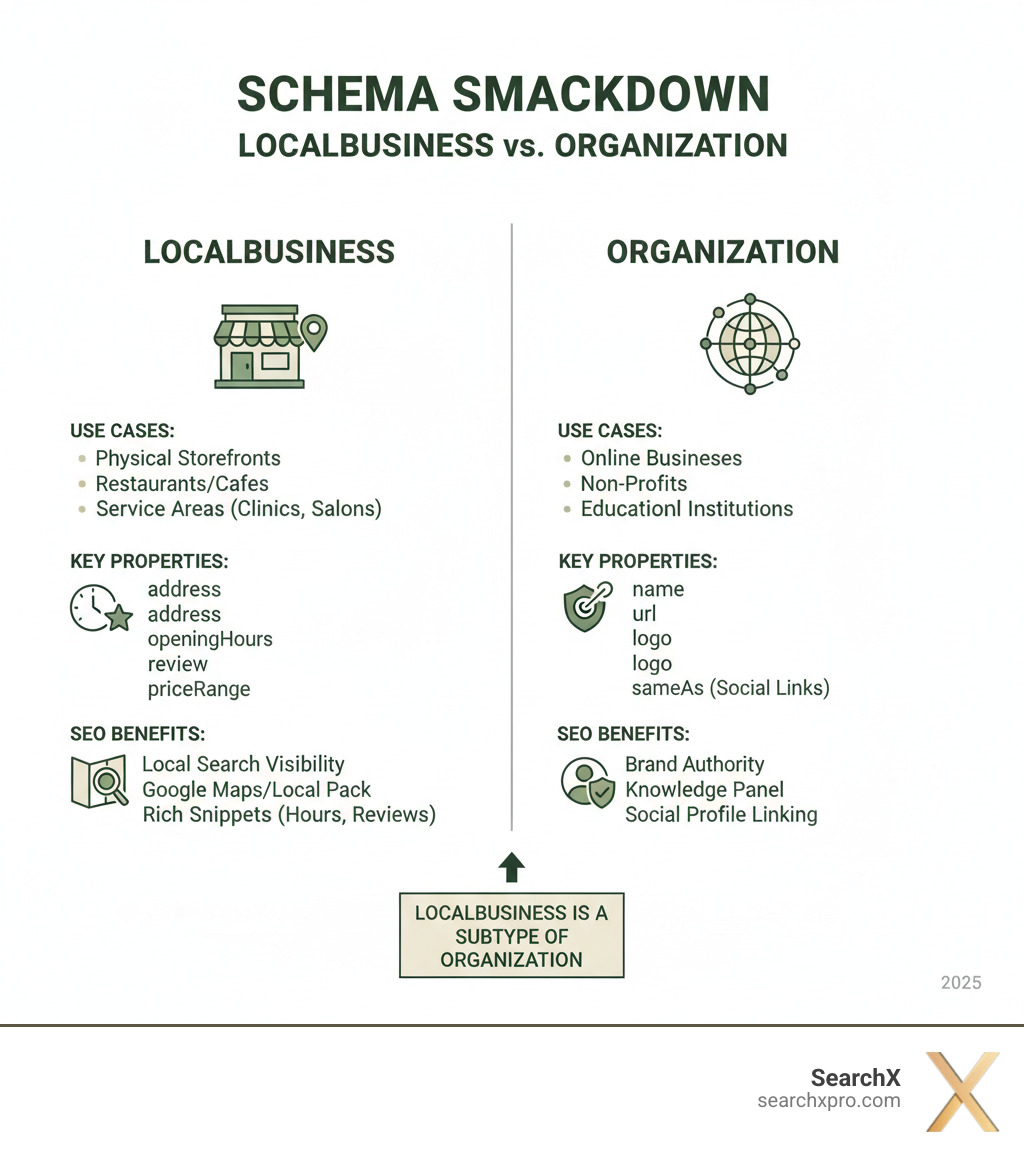
| Schema Type | Use When Your Entity Is… | Key SEO Benefit |
|---|---|---|
| LocalBusiness | A physical location open to the public (e.g., a restaurant, shop, clinic). | Boosts visibility in local search, Google Maps, and the Local Pack. Displays rich snippets like hours and reviews. |
| Organization | A general entity without a public storefront (e.g., an online-only business, non-profit, corporate brand). | Establishes brand identity, improves knowledge panels, and links corporate social profiles. |
Struggling to pick the right structured data can lead to missed opportunities. With 46% of Google searches seeking local information, the wrong choice means you might not appear with rich details that grab user attention.
This guide breaks down the differences and shows you how to use these schema types to your advantage. I’m Lorenz Esposito, founder of SearchX, and I’ve helped businesses optimize for local business vs organization schema to drive tangible revenue. Let’s dive in.
Understanding the Contenders: Organization vs. LocalBusiness Schema
To master local business vs organization schema, you must understand their roles. Schema.org helps search engines understand the web, starting with the basic type “Thing.” From there, it gets more specific with types like “Organization” and “Place.”
LocalBusiness is a specialized type that inherits properties from both Organization and Place.
This inheritance is powerful. A LocalBusiness gets an Organization’s properties (name, website) plus a Place’s properties (address, GPS coordinates), along with its own unique features.
What is Organization Schema?
Organization schema acts as your digital business card, defining your corporate identity for search engines. It’s flexible and works for any entity—corporations, startups, non-profits, or online-only businesses—regardless of physical location. This markup populates Google’s Knowledge Panels with your core details.
Key properties include name, URL, logo, and sameAs links to connect your social media profiles (like LinkedIn and Facebook). You can also add legalName, contactPoint, and foundingDate to give search engines a complete picture of your organization.
What is LocalBusiness Schema?
LocalBusiness schema is the star of local SEO. It tells search engines “where” you are and “when” customers can find you. It’s designed for businesses with a physical presence, like a Charleston coffee shop, an Austin auto repair shop, or any business serving customers at a location or within a service area.
This schema is essential for appearing in Google’s Local Pack and ranking on Google Maps. You can find all technical details at Schema.org’s LocalBusiness page.
It includes detailed properties that answer local search queries, such as address, geo coordinates, openingHours, telephone, and priceRange. Crucially, you can include aggregateRating and reviews. Since 90% of consumers read reviews, displaying them in search results can dramatically boost click-through rates. LocalBusiness schema connects you with nearby customers actively searching for your services.
The Main Event: A Comparison of local business vs organization schema
Choosing between local business vs organization schema is a strategic decision that shapes how search engines and customers find you. A Charleston coffee shop needs to highlight different information than a global software company. The schema you choose tells Google what kind of business you are and what information is most important to searchers.
| Scenario | LocalBusiness Schema | Organization Schema |
|---|---|---|
| Business Model | Physical storefront, service-area business, branch office. | Online-only business, corporate headquarters (non-public), non-profit, institution. |
| Customer Interaction | Customers visit a physical location or you serve them locally. | Customers interact primarily online, or corporate identity is key. |
| SEO Goals | Local Pack ranking, rich snippets (hours, reviews), map visibility. | Brand Knowledge Panel, establishing social profiles, corporate authority. |
| Key Differentiator | Requires a physical address and public operating hours. | Does not require a physical, customer-facing location. |
When to Use LocalBusiness Schema for Local SEO
If customers can physically visit your business or you serve a specific geographic area, LocalBusiness schema is essential.
For a physical storefront in Naples, Miami, or Austin—be it a boutique, clinic, or repair shop—customers need to know where you are and when you’re open. LocalBusiness schema communicates this directly to search engines.
The same applies to service-area businesses. A plumber in Stockholm or a locksmith in Malmö benefits from this schema by connecting to “near me” searches. For restaurants, it’s even more critical. LocalBusiness schema can display opening hours, star ratings, and price range in search results. Since 90% of consumers read reviews, showing them directly in search is powerful.
The primary goal is to appear in Google’s Local Pack. With 46% of Google searches having local intent, this is prime real estate. Rich results from LocalBusiness schema can boost click-through rates by up to 40% by providing key information upfront, leading to more qualified clicks.
When to Use Organization Schema
Organization schema establishes who you are as an entity online, rather than driving foot traffic. Use it for an online-only business, like a UK e-commerce site or a global SaaS company based in New York. It defines your brand identity, not a physical presence.
This also applies to non-customer-facing corporate headquarters. Use Organization schema to represent the company as a whole, while using LocalBusiness for any public-facing branch locations.
Non-profits, institutions, and large brands also rely on Organization schema to establish their identity and populate Google’s Knowledge Panels. The goals are to improve your brand’s Knowledge Panel, link official social profiles via the sameAs property, and create an authoritative digital footprint.
In short, the choice between local business vs organization schema depends on whether customers interact with you at a physical location. If yes, use LocalBusiness. If not, use Organization. Sometimes, you need both.
Advanced Plays: Combining and Implementing Schema for Maximum Impact
For complex business structures, combining LocalBusiness and Organization schema provides a clear picture for search engines. This is often done by “nesting” one schema type within another using JSON-LD, a flexible format for creating connected data that accurately reflects your business setup.

How to Handle Single vs. Multi-Location Businesses
For a single location business, the choice is simple: use LocalBusiness schema on your homepage and contact page with all your details like name, address, geo-coordinates, opening hours, and phone number.
For multi-location businesses, like SearchX with offices in Charleston, Austin, and New York, the strategy is more advanced. The goal is to define the main company while providing specifics for each location. Here’s the “Hub and Spoke” model:
-
Main Website (Homepage): Use
Organizationschema if the homepage is a corporate overview. If it represents your main headquarters (like SearchX in Charleston), useLocalBusinessschema for that primary location. -
Individual Location Pages: Each physical location (e.g., your New York office or Malmö branch) must have its own dedicated page with a unique
LocalBusinessschema. This includes its specific address, telephone number, opening hours, and geo-coordinates. -
Connecting the Dots: Use properties like
parentOrganizationorbranchOfon location pages to link back to the main brand. This tells Google, “This Austin office is part of the main SearchX brand.” On a main “Locations” page, you can use thesubOrganizationproperty to link to each branch. This creates a clear hierarchy, strengthening your brand identity while boosting local visibility for each outpost.
The Importance of Specificity and the Risks of Getting It Wrong
Precision is key with schema. Schema.org offers specific types under LocalBusiness, such as Restaurant, Dentist, or AutoRepair. Using the most accurate type, like AutoRepair for a garage or Restaurant for a diner, signals exactly what you do to search engines, helping them display relevant rich results like menus or service details.
Getting it wrong carries risks:
- Missed Rich Results: Incorrect schema can prevent you from getting rich snippets like star ratings or hours, making your listing less appealing.
- Search Engine Confusion: Using
Organizationfor a physical store can hurt your chances of appearing in the Local Pack, a major issue in competitive markets like New York. - Wasted SEO Effort: Incorrect schema won’t deliver the expected SEO benefits.
- Risk of Penalty: Using schema incorrectly can lead to a spammy structured markup penalty, which can harm your search visibility. At SearchX, we ensure all schema follows Google’s quality guidelines.
Always use the most specific schema type possible. If a perfect match doesn’t exist, we’ll cover your options in the FAQ.
Your Step-by-Step Guide to Local Schema Implementation
Implementing schema is like following a recipe. With a clear process and the right tools, you can create technically sound structured data that optimizes your business for local search. Let’s walk through the steps.
Step 1: Choose Your Schema Type
First, make the foundational decision based on our discussion of local business vs organization schema.
- Physical Location: If customers visit you in person (e.g., a Charleston coffee shop, Austin auto repair), use
LocalBusinessor a specific subtype likeRestaurantorDentist. - Online-Only/Corporate: If you’re an online business, non-profit, or corporate entity without public-facing locations, use
Organizationto define your brand. - Multiple Locations: For businesses with several branches, use
Organizationfor the main brand andLocalBusinessfor each location, connecting them with properties likeparentOrganization.
Step 2: Gather Your Business Information
Consistency is king in local SEO. Ensure your Name, Address, and Phone number (NAP) are identical across your website, Google Business Profile, and all online directories before creating schema. Gather the following details:
- Official business name
- Full
PostalAddressfor each location (check local formats for places like Stockholm or Malmö) - Primary phone number with country/area codes
- Official website URL
- Direct link to your business logo
- Links to social media profiles (for the
sameAsproperty) - Detailed
openingHoursSpecification latitudeandlongitudecoordinates (from Google Maps or latlong.net)- Details for
aggregateRatingandreviewproperties, if applicable.
Organizing this information ensures consistency and simplifies the next step.
Step 3: Generate and Validate Your Schema
Turn your information into schema markup. While you can write JSON-LD manually, schema generators like Merkle’s or Schema App’s are efficient and help avoid syntax errors.
After generating the code, validation is non-negotiable. This quality check ensures Google can understand your markup. Use these tools:
- Google’s Rich Results Test: Use the Rich Results Test to check for errors and see if your page is eligible for rich results like star ratings or hours.
- Schema Markup Validator: For a comprehensive syntax check, the Schema Markup Validator provides a detailed breakdown of your structured data.
Always use both tools to catch potential issues early. This thorough approach is crucial for local SEO success in competitive markets like Charleston or Austin.
Frequently Asked Questions about local business vs organization schema
Navigating local business vs organization schema can be tricky. Here are answers to some common questions.
Should I put LocalBusiness schema on every page of my site?
No, definitely not. Applying LocalBusiness schema to every page can hurt your SEO. Google expects this data only on pages that are genuinely about your physical location.
The correct places for LocalBusiness schema are:
- Your homepage (if it represents your main location, like our Charleston office).
- Your contact page.
- Individual location pages for multi-location businesses (e.g., separate pages for our Austin and New York offices).
Placing the same schema on every blog or service page creates confusion and can be flagged as spammy. Keep it relevant and avoid duplication.
What if there’s no specific LocalBusiness type for my business?
If you can’t find a perfect match for your specialized business (like a vintage typewriter shop in Malmö), you have options:
- Use the general
LocalBusinesstype. This still provides essential local signals like address, phone, and hours. - Find a closely related type. A specialty food shop could use
FoodEstablishment, or a medical spa could useMedicalBusiness. Getting close is better than being generic. - Use the
additionalTypeproperty. This allows you to link to an external vocabulary, like a Wikipedia page, that describes your business more precisely. For example, a UK osteopath could useMedicalBusinesswith anadditionalTypepointing to the Wikipedia entry for osteopathy.
Don’t let the lack of a perfect type stop you. Use the best available option and provide accurate details.
My SEO plugin already adds Organization schema. What should I do?
Many SEO plugins (like Yoast or Rank Math) default to Organization schema. While good for brand identity, it’s insufficient for local SEO if you have a physical location in Charleston or Austin. You must change this setting.
Go to your plugin’s schema or search appearance settings and change the entity type from Organization to LocalBusiness. This is the priority for any customer-facing business. The plugin will then ask for local details like your address, phone number, and opening hours. Fill these out carefully, ensuring NAP (Name, Address, Phone) consistency with your Google Business Profile.
After updating, validate your homepage with Google’s Rich Results Test to confirm the LocalBusiness schema is active and correct. This sends the right signals to Google and can significantly improve your local search visibility.
Conclusion: Declaring a Winner for Your Local SEO Strategy
In the local business vs organization schema debate, there’s no single winner—the champion is always specificity.
If your business has a physical location customers can visit, from a Charleston coffee shop to an Austin clinic, LocalBusiness schema is your undisputed champion. It’s the specialized tool for boosting visibility in the Local Pack, displaying hours and reviews, and driving foot traffic.
Organization schema serves a different role: establishing your overall brand identity and building Knowledge Panels. It’s ideal for online-only businesses, non-profits, or corporate headquarters.
For multi-location businesses, the winning strategy is to use both: Organization for the main brand and LocalBusiness for each physical branch. This gives search engines a complete picture of who you are and where customers can find you.
The bottom line: LocalBusiness schema helps customers find you and search engines understand you—a winning combination for any business with a physical presence.
For businesses in Charleston and beyond, SearchX crafts custom, precise schema strategies that turn search traffic into revenue. Ready to dominate local search? Explore our local SEO services to see how we can help your business grow.