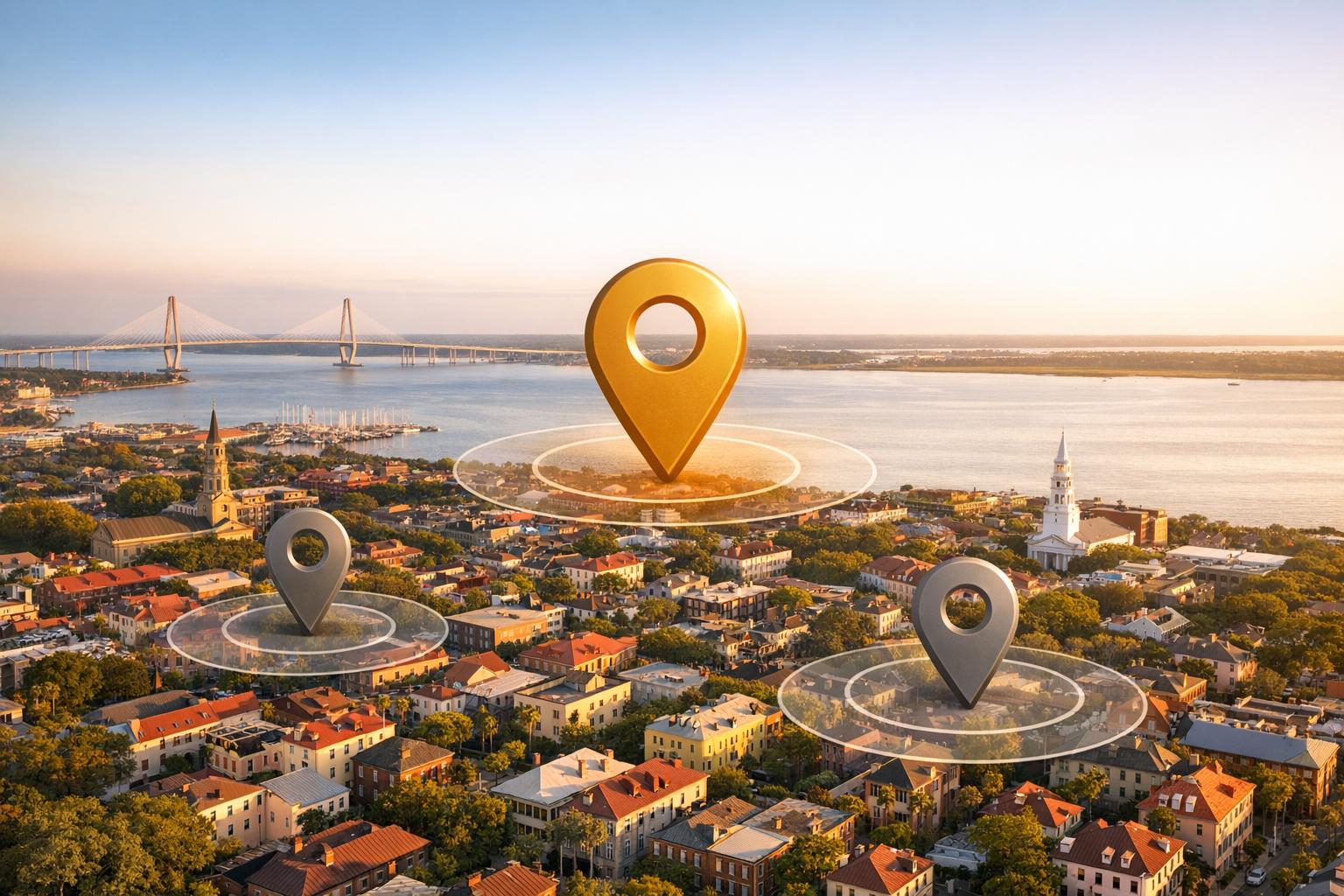
Google’s proximity bias prioritizes businesses closest to the searcher’s location in local search results. This means even highly-rated businesses can rank lower if they’re farther away. For Charleston businesses, this creates challenges due to the city’s distinct neighborhoods like Downtown, Mount Pleasant, and West Ashley. Proximity accounts for 48%-55% of local rankings, but you can overcome this by strengthening relevance and prominence.
Key strategies to combat proximity bias:
- Optimize your Google Business Profile: Ensure accurate details, geotagged photos, and steady review activity.
- Use schema markup: Add structured data like
LocalBusinessandareaServedto show Google your service areas. - Target neighborhood-specific keywords: Create pages and content for each Charleston area you serve.
- Encourage location-specific reviews: Ask customers to mention neighborhoods and services in their feedback.
- Build local authority: Consistent NAP data, backlinks, and tailored content improve rankings beyond your physical location.
The Local Algorithm: Relevance, Proximity, and Prominence – Whiteboard Friday
What Is Google’s Proximity Bias in Local Search?
Proximity bias refers to Google’s tendency to favor businesses that are closest to the searcher’s location, often prioritizing them over businesses with better reviews, reputations, or services. For example, if you search for "plumber" or "breakfast spot" on your phone, Google will primarily consider which business is nearest to you.
Google determines your location with impressive precision. On mobile devices, it utilizes GPS coordinates, Wi-Fi signals, and mobile network data. For desktop users, it relies more on IP addresses and associated zip codes. This location data essentially becomes the starting point for generating local search results.
"Google’s algorithm believes if you are searching for something local, you will naturally prefer vendors closest to you."
- Ben Seidel, CEO and Founder, Igniting Business
The size of the search radius depends on the nature of the query. For hyperlocal searches like "coffee" or "pharmacy", Google narrows the radius to just a few blocks. On the other hand, searches for destination businesses – like "furniture warehouse" or "sports stadium" – cover a much larger area.
How Proximity Bias Works
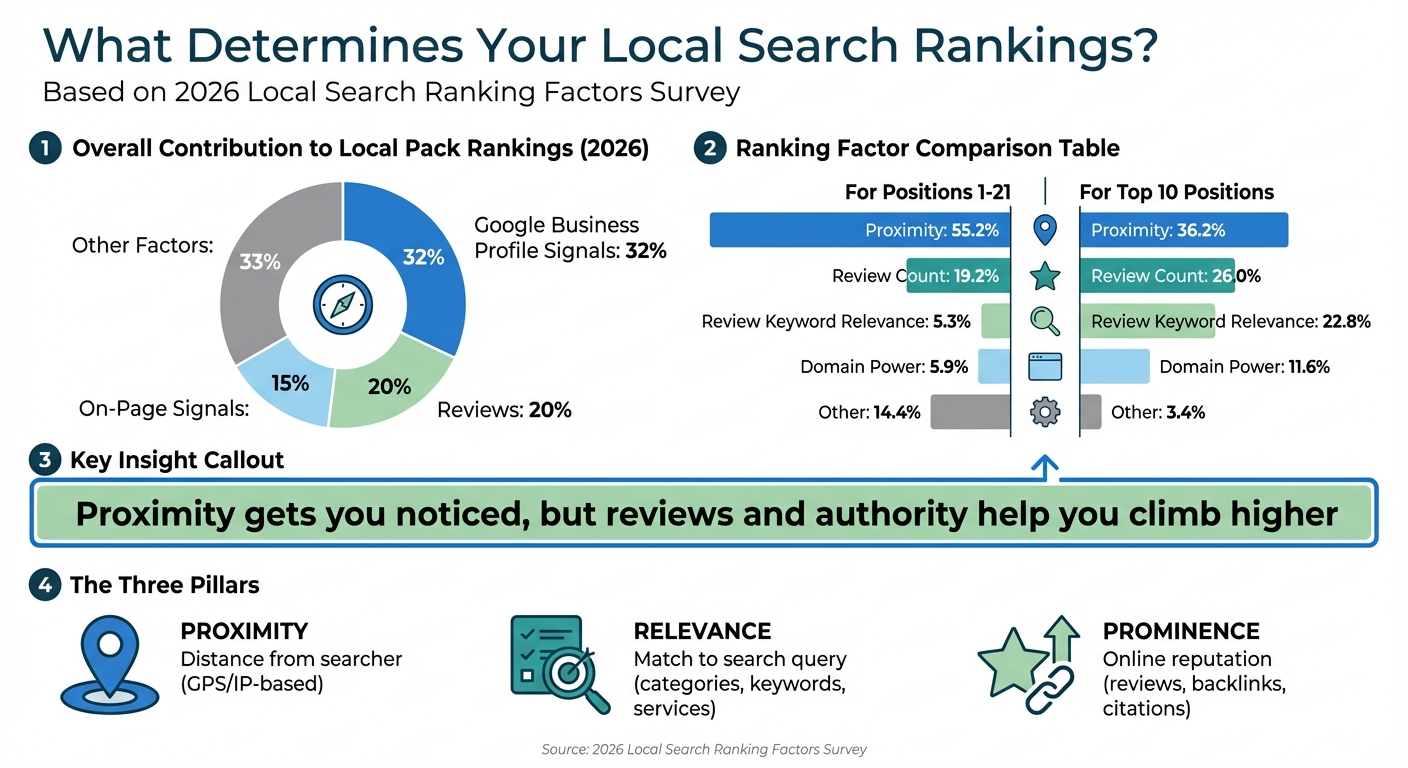
Google uses three main factors to rank local businesses: proximity (how close the business is to the searcher), relevance (how well the business matches the search query), and prominence (the business’s reputation and online authority). Among these, proximity carries the most weight, especially after the Vicinity Update in November 2021, which made physical distance even more critical in local rankings.
For local rankings (positions 1–21), proximity accounts for 55.2% of the ranking algorithm, while review count contributes 19.2% and domain authority just 5.9%. Even for the coveted top-10 results, proximity still holds a strong 36.2%, though reviews and keyword relevance play a larger role, combining for nearly 49%.
Here’s how the ranking factors break down:
| Ranking Factor | Influence (Positions 1-21) | Influence (Top 10 Positions) |
|---|---|---|
| Proximity | 55.2% | 36.2% |
| Review Count | 19.2% | 26.0% |
| Review Keyword Relevance | 5.3% | 22.8% |
| Domain Power (Website Authority) | 5.9% | 11.6% |
This data highlights a key takeaway: proximity gets your business noticed, but reviews and online authority are essential for climbing higher in rankings.
How Proximity Bias Affects Charleston Businesses
Charleston’s unique layout makes proximity bias particularly tricky for local businesses. The city is divided into distinct neighborhoods – Downtown, Mount Pleasant, West Ashley, Daniel Island, James Island, and North Charleston. A top-rated restaurant in Downtown Charleston might rank highly for someone on King Street but could vanish from the search results for someone in Mount Pleasant.
For service-based businesses like plumbers, electricians, or landscapers, this bias can be especially frustrating. These businesses often serve the entire Charleston metro area but struggle to appear in search results for customers beyond a few miles from their listed address. Google’s focus on a single physical location makes it hard for such businesses to rank across a broader area.
The issue is compounded in high-density areas like Downtown Charleston, where similar businesses are packed into a small radius. In these cases, proximity bias can allow a newer business with fewer reviews to outrank an established competitor simply because it’s closer to the searcher.
For Charleston businesses, understanding proximity bias is crucial for crafting effective strategies. This means focusing on building strong reviews, targeting neighborhood-specific keywords, and creating region-based content that extends relevance beyond a single zip code. Up next, we’ll dive into practical tactics to tackle these challenges in Charleston.
3 Factors Google Uses to Rank Local Businesses
Google Local Search Ranking Factors: Proximity vs Reviews vs Authority
Google determines local business rankings using three main factors: proximity, relevance, and prominence. These elements work together to decide which businesses show up in the Local Pack and on Google Maps. For Charleston businesses aiming to stand out in a competitive market, understanding these factors is key.
The 2026 Local Search Ranking Factors Survey, published in November 2025, highlights that Google Business Profile signals contribute 32% to Local Pack rankings, with reviews adding 20% and on-page signals accounting for 15%. These factors interact in complex ways. For example, a business with glowing reviews and strong authority might outrank a closer competitor – unless the distance difference is too significant. On the other hand, a business located right next to the searcher could rank higher, even with average reviews, especially for hyperlocal searches like “coffee” or “pharmacy”.
Let’s break down how each factor impacts your local rankings.
Proximity: Distance From the Searcher
Proximity is all about how close your business is to the searcher’s location. Google determines this using GPS data for mobile users and IP addresses for desktop searches. You’ve probably noticed your approximate location displayed at the bottom of Google’s search results page.
"Proximity now stands as the leading ranking factor in local search."
- Darren Shaw, Founder, Whitespark
The November 2021 Vicinity Update made proximity even more critical, reducing the chances for businesses to rank outside their immediate area. For Charleston businesses, this means a plumber in West Ashley might find it difficult to appear in searches from Mount Pleasant, no matter how strong their reviews are. However, the search radius can vary depending on the query – Google keeps it tight for searches like “coffee” but widens it for broader terms.
To overcome proximity limitations, focus on improving relevance and prominence with DIY local SEO strategies.
Relevance: Matching What Users Search For
Relevance measures how well your business aligns with what users are searching for. Google evaluates this through your business’s primary category, secondary categories, description, services, and attributes like “wheelchair accessible” or “outdoor seating”. Your primary Google Business Profile category is especially critical for appearing in the Local Pack. For instance, a Charleston restaurant should choose “Seafood Restaurant” instead of the more generic “Restaurant” to better target specific searches.
Make sure every field in your Google Business Profile is complete and accurate. Add Charleston-specific keywords to your business description and services. Encourage customers to mention specific services and locations – like “best HVAC repair in Mount Pleasant” – in their reviews. This helps Google associate your business with those terms.
Prominence: Your Business’s Online Reputation
Prominence reflects how well-known and trusted your business is, both online and offline. Google considers factors like review volume, star ratings, review content, backlinks, media mentions, and directory listings. Reviews have become increasingly important, rising from a 16% influence in 2023 to 20% by late 2025 for Local Pack rankings. For businesses already in the top 10, review count contributes 26% to ranking strength, while review keyword relevance adds another 22.8%.
"Prominence is also based on information that Google has about a business, from across the web, like links, articles, and directories."
- Google Business Profile Help
To build prominence, engage consistently across multiple channels. Respond to every review – positive or negative – to show both Google and customers that you value feedback. Seek backlinks and mentions from Charleston-based sources like the Charleston Chamber of Commerce, The Post and Courier, and local blogs. Also, ensure your NAP (Name, Address, Phone Number) information is consistent across all platforms – businesses with consistent NAP data are 40% more likely to appear in the Local Pack.
A strong online reputation can sometimes help a business overcome proximity disadvantages. For instance, a highly rated Downtown Charleston business might still rank well for searchers in Mount Pleasant, though distance remains a factor. Mastering these elements is crucial for improving local rankings in Charleston’s competitive market.
5 Ways to Beat Proximity Bias in Charleston
Even if you can’t change where your business is physically located, you can improve how search engines perceive your relevance and prominence. By understanding proximity bias and the factors that influence rankings, Charleston businesses can adopt these five strategies to stay competitive.
Optimize Your Google Business Profile
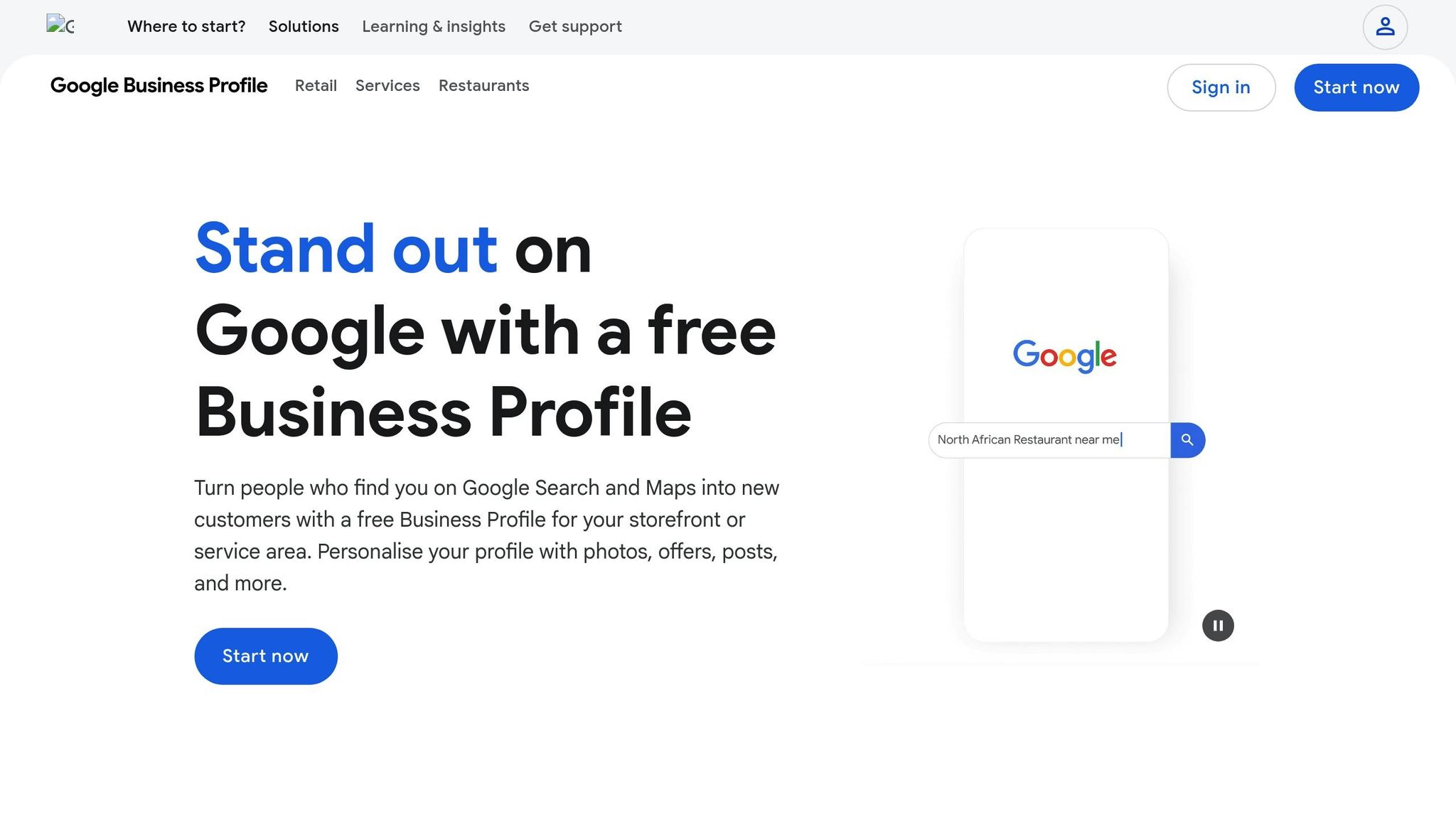
A well-optimized Google Business Profile is essential for overcoming proximity challenges. Businesses with fully optimized profiles are seen as more credible – by up to 2.7×. Start by ensuring your Name, Address, and Phone (NAP) information matches exactly across all platforms, from your physical signage to listings like the Charleston Chamber of Commerce directory.
Carefully select your primary category. For example, a Mount Pleasant restaurant might choose "Seafood Restaurant" and add relevant secondary categories. Upload high-quality, geotagged photos and short videos to encourage website clicks and direction requests. Google’s Vision AI now scans images for objects, signage, and landmarks to confirm your business location.
Use the Q&A section to answer local-specific questions, such as "Do you service HVAC systems in Daniel Island?" This not only helps searchers but also signals your relevance to specific areas. Highlight attributes like "Veteran-owned" or "Wheelchair accessible", as these details increasingly influence AI-driven search results.
Focus on maintaining steady review activity. The 2026 algorithm values a consistent flow of 2–3 new reviews per week over sudden spikes, which can trigger spam filters. Respond to all reviews – positive and negative – to show you value customer feedback.
Next, refine your website’s technical SEO with structured data.
Add Local Business Schema Markup
Schema markup is a way to add structured data to your website, helping Google better understand your business. Websites that use schema markup effectively can see up to an 82% increase in click-through rates. For Charleston businesses, this means connecting your brand to local landmarks and neighborhoods.
"Adding explicit clues through the right schemas helps Google understand your business better, improving your chances of ranking higher." – Think With Google
Use JSON-LD format to implement schema, following Google’s guidelines. Include the LocalBusiness type with details like your Name, Address, Phone, and URL. Add GeoCoordinates with your exact latitude and longitude to ensure accurate placement on Google Maps. Use the areaServed attribute to highlight areas like "Charleston County", "Mount Pleasant", or "West Ashley".
Incorporate additional schema types like AggregateRating and OpeningHours to enhance visibility. If you’re a restaurant, don’t overlook Menu Schema – it could cost you up to 93% of potential customers. Test your schema implementation with Google’s Rich Results Test tool to ensure everything works as intended. For detailed guidance, check out this resource on adding local business schema markup.
Once your technical foundation is set, shift focus to geographic keyword targeting.
Target Service Area and Neighborhood Keywords
Generic keywords won’t cut it. Instead, create specific landing pages for each Charleston neighborhood, like "Emergency Plumber in West Ashley". Target key areas such as Downtown (French Quarter, South of Broad), West Ashley, James Island, Mount Pleasant, Daniel Island, and North Charleston.
Incorporate these neighborhood names naturally throughout your landing pages to signal relevance. Use your Google Business Profile’s Service Area settings to define where you provide services, even if you don’t have a physical location in every neighborhood.
Focus on hyperlocal keywords tied to specific neighborhoods, such as "bakery near Waterfront Park" or "dry cleaner in Mount Pleasant". Blog posts about local events, landmarks, or community news can also strengthen your connection to specific areas.
Pair this strategy with customer reviews that highlight your location.
Get Reviews That Mention Your Location and Services
Reviews are a powerful way to overcome proximity disadvantages. Beyond star ratings, the specific language customers use in reviews helps Google associate your business with relevant terms across a broader area. Encourage customers to mention their neighborhood and the service they received, like "Best HVAC repair in Mount Pleasant" or "Delicious seafood in the French Quarter."
"If your business has built up stronger signals of relevance and prominence than competitors who are physically nearer to a searcher, you may succeed at outranking them." – Miriam Ellis, Search Engine Land
Build local citations by ensuring your NAP details are consistent across directories, blogs, and news sites like The Post and Courier. This consistency reinforces Google’s understanding of your business as a local entity.
Finally, showcase your local expertise through targeted content.
Create Content for Specific Charleston Neighborhoods
To rank well in Charleston’s local search results, Google needs clear signals that you serve multiple neighborhoods. Create dedicated pages for each area, with unique content that highlights your expertise. For example, a pest control company might have pages like "Termite Inspection in James Island" or "Mosquito Control in Mount Pleasant", each tailored to local details.
Blog posts can also help. For instance, an HVAC company might write about "Preparing Your West Ashley Home for Charleston’s Humid Summers" or "Historic Downtown Charleston HVAC Challenges." These posts build semantic connections between your business and specific locations.
"Ranking in Charleston’s local search isn’t just about keywords – it’s about semantic relevance and entity strength." – Shanzaib, Charleston SEO Company
Use neighborhood names naturally in your content without overloading it with keywords. Google’s algorithms are smart enough to recognize forced language. Instead, focus on creating meaningful content that addresses the needs of customers in each area you serve. This strengthens your local SEO and positions your business to compete effectively against closer competitors.
Why Service-Based Businesses Struggle With Proximity Bias
Service-based businesses like plumbers, HVAC companies, and electricians face unique challenges when it comes to proximity bias. Google’s algorithm often ties their rankings to a single office address, which can severely limit visibility – even if these businesses serve multiple areas like all of Charleston.
Local search behavior compounds this problem. Nearly half of all searches have local intent, and 78% of "near me" queries result in in-person visits. For example, if a homeowner in Mount Pleasant searches for "emergency plumber", Google prioritizes businesses physically located in Mount Pleasant. This happens even if a better-rated, more experienced plumber operates just 10 miles away in West Ashley. This proximity-first approach means businesses closer to searchers often outrank competitors, even when those competitors have better reviews or more experience. For service providers trying to cover multiple Charleston neighborhoods, this can significantly limit their reach.
How Google’s Vicinity Update Changed Local Rankings
In November 2021, Google introduced the "Vicinity Update", which increased the importance of proximity in local rankings. This update effectively reduced the size of the local map pack, making it harder for businesses to rank in areas outside their immediate vicinity.
"This most recent update seems to have greatly increased the weight of Proximity, which in turn has ‘shrunk’ the size of the map pack." – Wit Digital
The effects were immediate. Businesses that previously ranked well across multiple neighborhoods in Charleston saw their visibility shrink to a smaller area around their physical address. Rankings often dropped significantly beyond a 10-mile radius.
| GBP Name Type | Average Ranking Change (Post-Vicinity) |
|---|---|
| No Keywords | +4.1 places |
| Keyword Spam | -5.5 places |
| Keyword Rich | -7.9 places |
| 31+ Characters | Significant Decrease |
Why Virtual Offices and P.O. Boxes Hurt Your Rankings
Some businesses try to bypass proximity bias by listing multiple addresses through virtual offices, P.O. boxes, or UPS stores. However, these practices violate Google’s guidelines and can lead to immediate suspension of their Google Business Profile (GBP). Google requires service-area businesses to have a staffed, physical office with visible street-level signage. For businesses like plumbers or HVAC companies that don’t meet customers at their office, the address must be hidden on their GBP. Interestingly, businesses with visible addresses tend to rank higher than those with hidden ones.
"If the service area business does not have a staffed physical office, Google requires that its address be hidden on its GBP. Unfortunately, businesses with physical addresses commonly outrank those with hidden addresses." – Miriam Ellis, Search Engine Land
The 2016 "Possum" update further complicated things by filtering out businesses sharing the same address or building to reduce map pack clutter. This means even legitimate companies operating from shared office spaces in Charleston could face penalties. Google has also cracked down on fake business profiles, removing or blocking over 7 million in one year. Using prohibited addresses like virtual offices (e.g., Regus, WeWork) or mail forwarding services can result in your business being flagged and removed from local search results. Accurate address information is critical for local SEO.
How to Rank Beyond Your Physical Location
To overcome proximity limitations, Charleston service businesses need to strengthen their "entity authority" using proven local SEO tactics. This means proving to Google that your business genuinely serves multiple neighborhoods, not just the area around your office.
Start by refining your service area settings. Instead of using a generic radius, select specific cities or ZIP codes – up to 20 – on your Google Business Profile. For example, choose locations like "Mount Pleasant", "Daniel Island", "James Island", and "West Ashley" rather than a vague "25-mile radius."
"Adding a distant city to your service area list tells Google ‘I will travel there,’ NOT ‘I am an authority there.’" – Lithium Writing Team, Lithium Marketing
While listing a city signals that you’re willing to serve that area, you must build authority with tailored content and reviews. For instance, a landscaping company in St. Petersburg, Florida, switched from a 25-mile radius to specific cities and created dedicated landing pages for each. Within four months, they ranked on Page 1 for searches 20 miles away and saw a 22% lead increase in secondary markets over six months.
For Charleston businesses, this means creating unique landing pages for each neighborhood you serve, filled with detailed and locally relevant content. Encourage customers to mention their neighborhood in reviews – phrases like "Great HVAC service in Mount Pleasant" carry more weight than generic five-star ratings. Additionally, use LocalBusiness schema with the areaServed property to clearly define your service areas for search engines.
Conclusion
Proximity bias presents one of the toughest hurdles for Charleston businesses aiming to rank higher in local search. It accounts for around 48% to 55% of Google’s ranking power. But here’s the good news: you don’t need to move your business to overcome it. The secret lies in strengthening the other two pillars of local SEO: relevance and prominence.
While proximity is undeniably important, its influence fades when other ranking signals are strong. For instance, although proximity contributes roughly 48%-55% to overall ranking power, its weight drops to 36.2% in the top Map Pack spots. In these cases, review signals take center stage. In industries like Beauty, factors like review quality and keyword-rich Google Business Profiles make up over 65% of feature importance, pushing proximity to the backseat.
To combat proximity bias, adopt a layered approach. Start by optimizing your Google Business Profile with accurate, complete details as part of your DIY SEO for small businesses. Use LocalBusiness schema markup and include areaServed properties for each Charleston neighborhood you cover. Create dedicated landing pages for each neighborhood, and encourage customers to leave reviews that mention both your service and their specific neighborhood. For example, a review like “amazing plumbing repair in Mount Pleasant” is far more powerful than a generic “great service.”
Google now evaluates review language to gauge local relevance, so reviews that include specific services and locations can help you rank across a wider area. Pair this with structured data and clearly defined service areas to establish your local authority. By balancing proximity, relevance, and prominence, you can shift the focus away from proximity alone and compete effectively with businesses closer to the searcher. Strengthen these other factors, and you’ll position your business to outperform nearby competitors.
FAQs
How can I tell if proximity is why my rankings dropped?
If your business performs well in local search results close to your location but fades as the distance grows, proximity bias might be the reason. Google places significant emphasis on physical distance when determining local rankings. As a result, your visibility tends to decline the farther a searcher is from your business.
What’s the fastest way to rank in Charleston neighborhoods I don’t have an address in?
The fastest way to improve your ranking in Charleston neighborhoods without a local address is by optimizing your Google Business Profile. Make sure it includes accurate details, targeted local keywords, and high-quality photos that resonate with the area. Beyond that, focus on creating content tailored to these neighborhoods and building backlinks that highlight your expertise in those locations. These strategies can boost your visibility in local searches, even if you don’t have a physical address there.
How far can reviews and backlinks offset distance in Google Maps results?
When it comes to Google Maps rankings, reviews and backlinks can play a crucial role in improving visibility, even if your business isn’t located right next to the searcher. Positive review signals and high-quality backlinks can help strengthen your online presence and make your business stand out.
That said, proximity still holds significant weight in local search rankings. While strong reviews and authoritative backlinks can help bridge the distance gap, being physically closer to the searcher often gives businesses an edge.
Related Blog Posts
- Charleston Google Business Profile Hacks for Local Visibility
- How Local SEO Helps South Carolina Businesses Compete with National Brands
- Local SEO Strategies That Help Charleston Businesses Win on Google and AI
- Charleston SC SEO in 2025: Why 47% of Local Businesses Are Switching Strategies (And You Should Too)