Want to stand out in ChatGPT‘s local suggestions? Here’s the key: Ensure your business information is accurate, consistent, and optimized across platforms like Google Maps, Bing Places, and local directories. ChatGPT relies on structured data, reviews, and profiles to recommend businesses, and if your details are incomplete or outdated, you could be skipped.
Key Takeaways:
- 53% of consumers will use generative AI for search by 2025. ChatGPT pulls recommendations from sources like Google Maps and reviews.
- 46% of searches have local intent. If your profile isn’t optimized, AI might exclude you.
- Consistency matters: Mismatched Name, Address, and Phone (NAP) details across platforms can hurt visibility.
- Reviews are critical: AI prioritizes businesses with recent, positive feedback.
- Google Maps is pivotal: AI uses Google Business Profiles, reviews, and structured data for local suggestions.
To improve your visibility:
- Claim and verify your Google Business Profile.
- Keep your NAP data consistent across directories.
- Use schema markup (like LocalBusiness) to structure your website data.
- Encourage detailed, keyword-rich reviews.
- Monitor performance using tools like SearchX to track AI mentions and local rankings.
Bottom Line: Accurate data and strong local SEO practices are essential for appearing in ChatGPT’s recommendations.
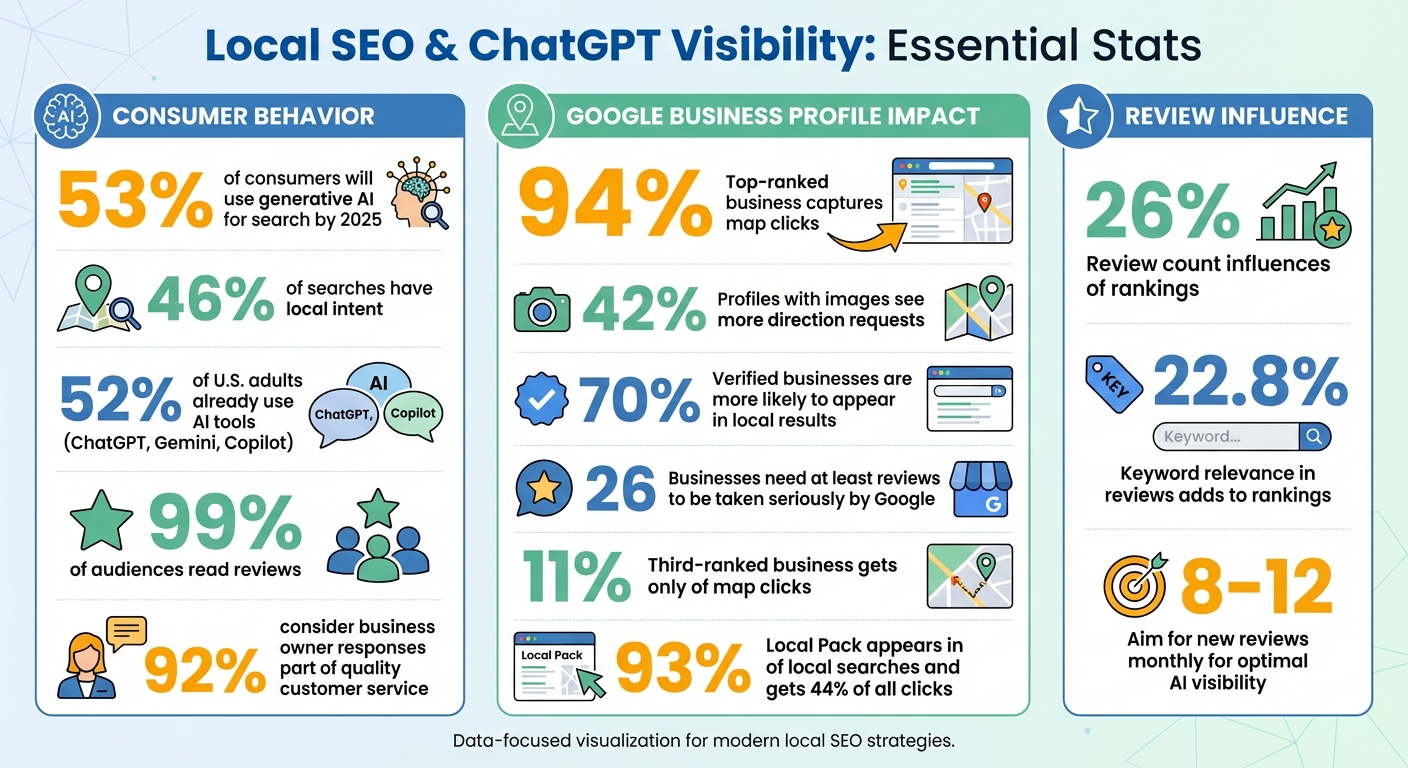
Local SEO and ChatGPT Visibility: Key Statistics and Metrics
3 Local SEO Tips That Work for Google + ChatGPT
Using Google Maps to Improve Local Search Results
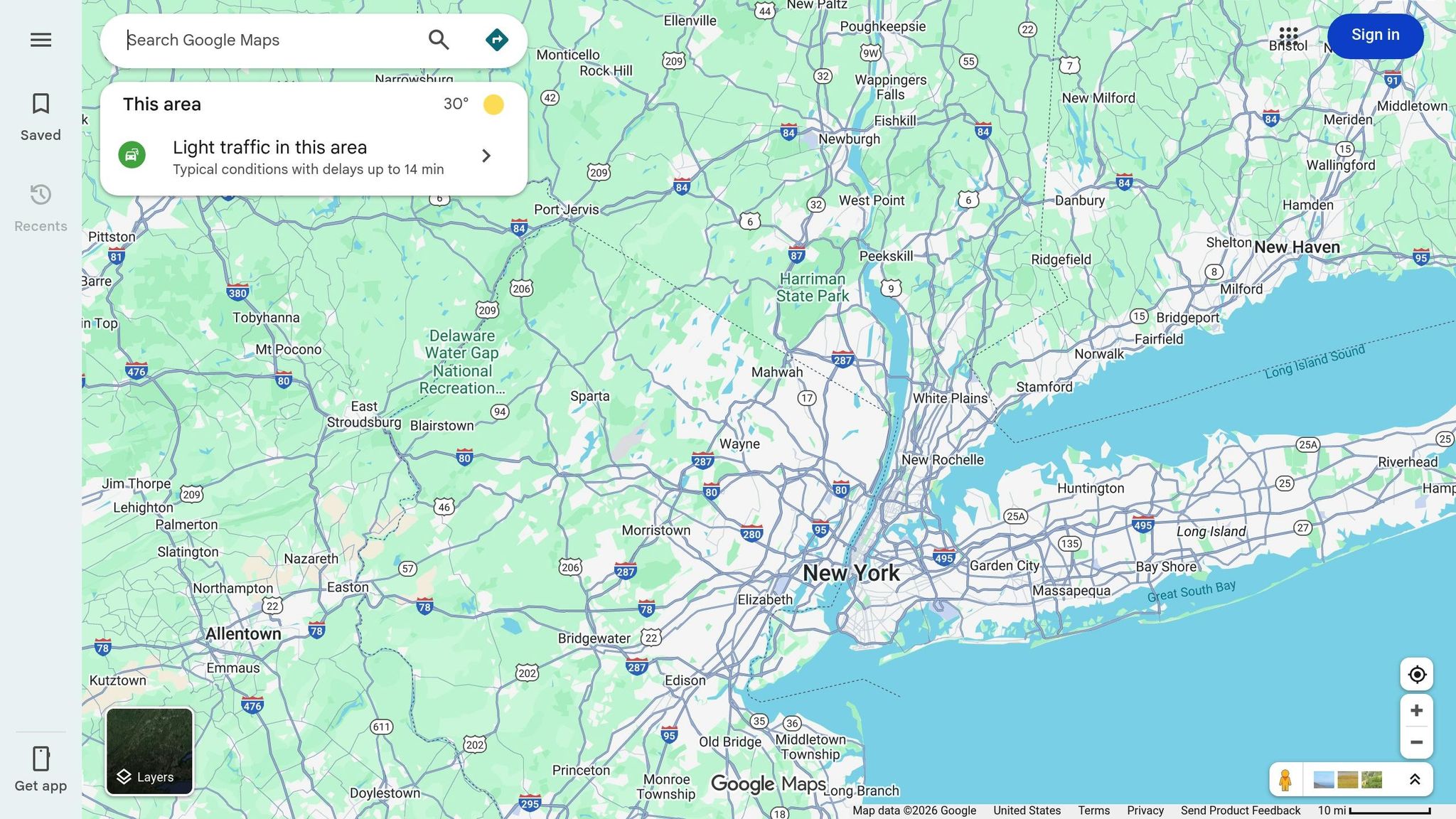
Google Maps has become a critical resource for AI-driven recommendations. When someone asks ChatGPT for the top HVAC repair service in downtown Denver, the AI relies on structured data pulled from Google Business Profiles, user reviews, and map details. This makes having a strong presence on Google Maps absolutely essential.
Google Business Profile data plays a key role in the "citation graph" that AI models use to justify their local recommendations. AI systems tend to favor "safe defaults", meaning businesses with accurate, consistent information and strong signals. If your profile is incomplete or your address doesn’t match across platforms, you’re likely to be overlooked by these AI-driven suggestions.
How to Optimize Your Google Business Profile
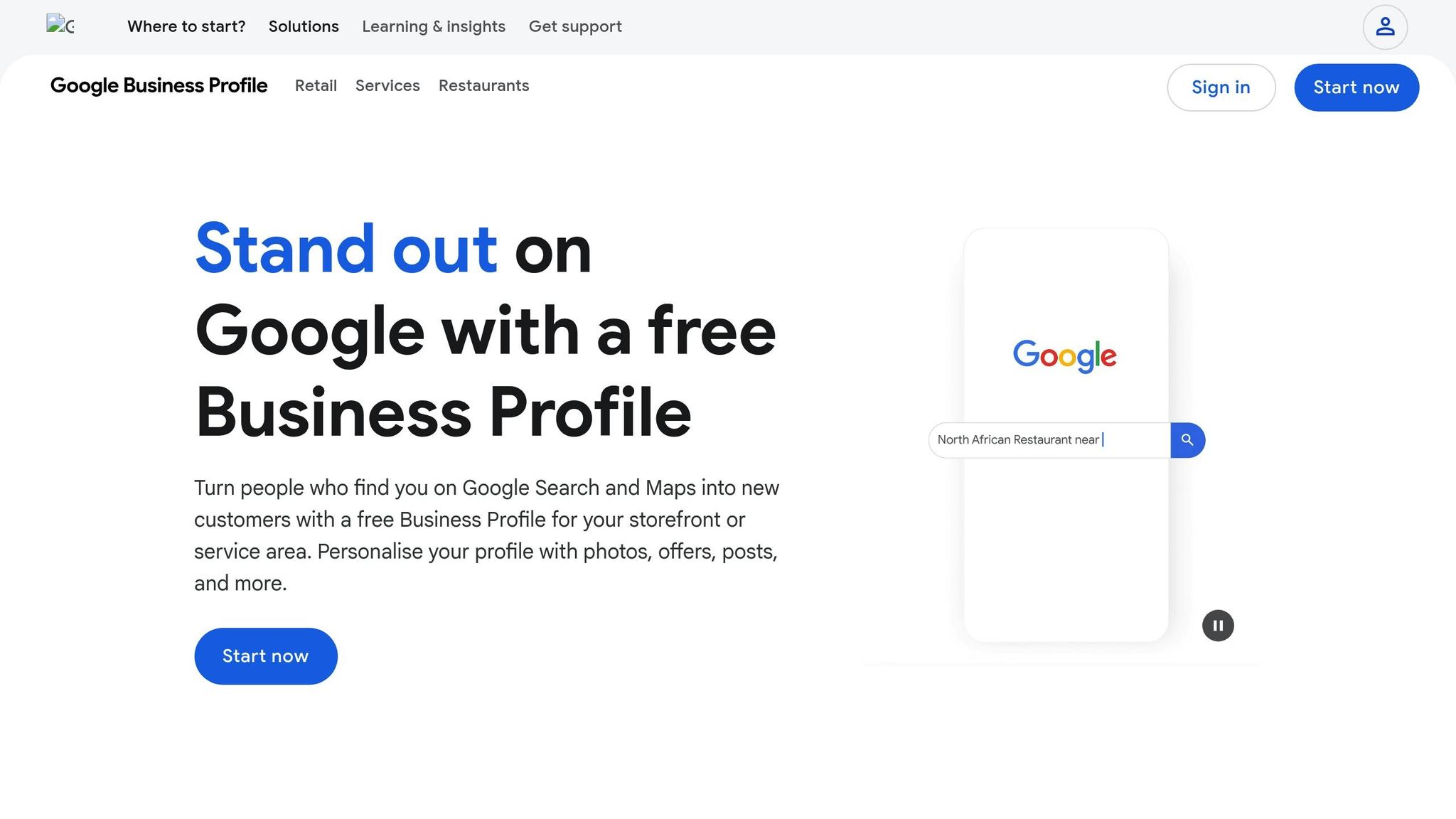
Start by claiming and verifying your Google Business Profile to show you’re the official representative of your business. Then, fill out every available field – description (up to 750 characters), products, services, hours of operation, and accessibility options. Profiles with uploaded images see 42% more user requests for directions.
Choose your primary category wisely. This choice determines which features are available on your listing, such as booking buttons for salons or menu uploads for restaurants. It also helps AI better understand your offerings and match them to user searches.
Post updates 2–3 times a week and use the Q&A section to address common questions with clear, detailed answers. These updates often appear in AI-generated summaries, providing ChatGPT with up-to-date information about your services. Keeping your profile fresh and comprehensive increases your chances of being featured in local AI-driven recommendations.
"Your Google Business Profile isn’t just a listing anymore – it’s your primary tool for appearing in AI overviews, voice search results, and local pack listings." – AlwaysOpen
But having a complete profile is just the first step. Trust signals, like reviews and ratings, play a big role in how AI ranks and selects businesses.
How Reviews and Ratings Affect AI Recommendations
Customer reviews act as trust signals that AI uses to evaluate your business before recommending it. ChatGPT looks at both star ratings and the language in reviews to identify key strengths, like "quick service" or "kid-friendly", that align with what users are seeking.
A high volume of positive, recent reviews contributes to "Prominence", which is one of Google’s three main local ranking factors. AI systems prioritize businesses with consistent, up-to-date feedback over those with outdated or stagnant ratings. They also pull specific snippets from reviews to justify their suggestions, making the content of reviews directly influential in AI-generated summaries.
Encourage customers to write detailed reviews that mention the service they received, your location, or standout team members. This helps AI categorize your business more effectively. Additionally, respond to reviews with thoughtful, context-rich replies. AI tracks this engagement as a sign of activity and customer care. Active participation in review management can significantly boost your visibility in ChatGPT’s local recommendations.
Beyond reviews, Google Maps provides valuable data that can help you fine-tune your local listing.
Using Google Maps Data to Improve Your Listing
Google Business Profile Insights offers detailed information on the search terms users use to find your business. Incorporate these phrases into your Posts and Q&A sections. For example, if people are searching for "emergency plumber open Sunday", make sure your profile explicitly highlights weekend availability.
Take advantage of "Popular Times" data, which shows when your business tends to be busiest. This helps customers plan their visits and may also serve as a signal of prominence for AI. Keep your regular and seasonal hours up to date, as AI prioritizes businesses with "open now" status for local recommendations.
Retailers can also benefit from the "See what’s in store" feature, which allows you to upload inventory directly to your profile. This enables AI to recommend not just your business but specific items you have available nearby. The more accurate and structured your data, the easier it is for AI to confidently include your business in recommendations.
Local SEO Strategies That Improve ChatGPT Visibility
If you want to influence ChatGPT’s recommendations effectively, it’s time to go beyond just optimizing your Google Business Profile. You need to focus on the right keywords, use structured data, and ensure your business information is consistent across all online platforms.
Finding and Using Local Keywords
The days of targeting short, generic phrases like "plumber Chicago" are fading. AI-driven searches now lean toward conversational queries like "Who is the best emergency plumber near downtown Chicago open now?" To stay ahead, start identifying conversational questions tied to themes like "best near me", "cost", "availability", "wait times", and "safety". For instance, if you own a dental practice in Brooklyn, create content that answers questions such as "What’s the average cost of teeth whitening in Park Slope?" or "Which Brooklyn dentist accepts walk-ins on weekends?"
Make sure to address these key questions right at the start of your content. Macy Storm, a Content Marketing Consultant at SEO.com, emphasizes:
"AI search engines want to provide users with answers quick, which means you need to clearly provide them. So if you want to appear in these AI search engine results, optimize your content to provide the answer first".
Adding hyperlocal details, like nearby landmarks or transit hubs, can further strengthen your geographic relevance. Including FAQ sections written in a conversational style is another way to boost your chances of being featured in AI-generated responses. Beyond keywords, precise code signals can help validate your local data and improve visibility.
Adding Schema Markup for Local Businesses
Schema markup takes your local keyword strategy to the next level by sending clear signals to search engines and AI systems. Essentially, schema is structured code that helps these platforms understand your content. Start by implementing the LocalBusiness schema in JSON-LD format, which is the preferred method for platforms like Google. Include key details such as your business name, address, phone number, coordinates, and operating hours. You can also use the sameAs property to link your website to authoritative pages, like your Google Business Profile, which reduces ambiguity and builds trust.
If you have FAQs on your site, consider adding FAQPage schema to make it easier for AI to extract direct answers. Similarly, for customer reviews, use Review and Rating schema to highlight verified feedback, which can enhance your business’s prominence. Defining service areas and accepted payment methods in your schema also helps match your business to specific searches like "near me" or "open now". Keep dynamic details, such as holiday hours or seasonal pricing, up to date to avoid providing outdated information.
In short, schema markup reinforces your business’s online identity and ensures your information is clear and accessible.
Creating and Managing Local Business Listings
When ChatGPT generates recommendations, it pulls data from multiple sources like Google Business Profile, Yelp, Facebook, and industry-specific directories. Inconsistent information – such as differing business hours or mismatched contact details – can hurt your credibility and push AI systems to favor competitors with uniform data.
To avoid this, use a centralized platform to keep your NAP (Name, Address, Phone number) consistent across all listings. Even small inconsistencies, like using "Street" in one place and "St." in another, can confuse AI verification systems.
Consider investing in a data distribution platform to update multiple directories simultaneously, ensuring real-time accuracy. Regularly review your NAP details, business attributes (like "wheelchair accessible", "free Wi-Fi", or "outdoor seating"), and test your listings with conversational queries to ensure everything remains accurate. With 53% of consumers projected to experiment with or regularly use generative AI by 2025, maintaining consistent and accurate business listings will be key to capturing local search traffic.
Using SearchX Tools for Local SEO
You’ve fine-tuned your Google Business Profile, added schema markup, and ensured your NAP (Name, Address, Phone) data is consistent across directories. Now, it’s time to take things further by using tools that can track your progress and amplify your visibility in both traditional and AI-driven search.
SearchX tools build on your optimized profiles and structured data, helping you refine your local SEO strategy.
Getting Started with SearchX’s DIY Local SEO Tool
The DIY Local SEO tool from SearchX is a simple way to manage your local presence without needing to hire an agency. Start by running a free Google Business Profile audit to find any missing or outdated details.
Choosing the right categories is key. Select one primary category and 3–5 secondary ones to sharpen your local relevance. For instance, a dental practice might choose "Cosmetic Dentist" as its primary category instead of the broader "Dentist." This can significantly improve visibility for high-intent searches like "teeth whitening near me."
The tool also tracks review velocity – how often you’re getting new reviews. Aim for 8–12 new reviews each month to signal trust and activity to AI algorithms. Verified businesses are 70% more likely to appear in local search results, and profiles with at least 26 reviews are more likely to be taken seriously by Google.
Monitoring Local SEO Performance with SearchX
Tracking performance is essential for local SEO success. SearchX offers geo-coordinate tracking, which helps you monitor shifts in your Map Pack rankings. This matters because the top-ranked business in a competitive local niche captures 94% of map clicks, while the third spot drops to just 11%.
The platform also measures AI visibility and mentions on tools like ChatGPT. With 52% of U.S. adults already using AI tools like ChatGPT, Gemini, or Copilot, staying visible in these spaces is crucial. Additionally, SearchX tracks review sentiment trends, analyzing whether customers mention specific services or locations. This feedback is a key data point for AI tools when generating local recommendations.
Other metrics include clicks-to-call, direction requests, and bookings from your Google Business Profile, along with audits for NAP consistency across 50+ directories. As Miriam Ellis, Local Search Scientist at Moz, points out:
"99% of your audience reads reviews, and 92% now consider business owner responses to reviews to be part of providing high-quality, modern customer service".
For businesses needing more advanced assistance, SearchX also offers professional services.
Expanding Your Reach with SearchX Professional Services
If you’re ready to scale beyond DIY tools, SearchX provides professional services tailored to more complex local SEO and AI visibility needs.
- Starter Plan ($3,000/month): Includes up to 3 SEO content pieces, local listing management across 50+ directories, and Google Business Profile optimization. This plan works well for small to mid-sized businesses looking to establish a strong foundation.
- Growth Plan ($6,000/month): Adds deeper technical SEO audits, 6–8 content pieces monthly, and competitor keyword analysis.
- Enterprise Plan ($12,000+/month): Designed for brands in competitive markets, it includes AI visibility tracking, 10–15+ content pieces per month, and a dedicated account team.
SearchX’s professional services also extend to Bing Places optimization, which can enhance AI-driven recommendations. The team works on building “consensus” by securing mentions on trusted sources like blogs, local lists, and industry directories – signals that ChatGPT uses to verify and recommend businesses with confidence. They also implement LocalBusiness and FAQ schema markup in JSON-LD format, ensuring AI tools can accurately access your business hours, services, and location data.
One standout feature is the ability to track Share of AI Voice (SAIV), which measures how often your business is mentioned in AI-generated responses compared to competitors. Additionally, the team focuses on authority building through high-quality content and manual link-building with reputable local publications, further boosting your visibility in tools like ChatGPT. As Rank Me Higher puts it:
"Being found in ChatGPT is like being found on Google in 2008. Don’t miss that moment."
Measuring Local SEO Results and ChatGPT Visibility
Once you’ve implemented your local SEO strategies and optimized your Google Business Profile, the next step is tracking your performance. Measuring how well your business stands out in both traditional and AI-driven search is essential to maintaining visibility.
Key Metrics to Track for Local SEO
To understand how your efforts are paying off, focus on these key metrics:
- AI Visibility Score: This metric tracks how often your business appears in AI-generated answers across platforms like ChatGPT, Google AI Overviews, and Bing Copilot.
- Citation Frequency: Measures how frequently AI tools reference your business as a trusted source, such as when they say, “According to [Your Business]…”.
- Review Keyword Relevance: Reviews mentioning specific services or neighborhood names are vital. AI tools use this language to match your business to relevant user queries. Reviews are a major factor, with review count influencing 26% of rankings and keyword relevance adding another 22.8%.
- Entity Mention Velocity: Tracks how often your brand is mentioned across trusted sources, helping AI algorithms recognize your authority.
- Traditional Metrics: Monitor map clicks and local pack performance. For instance, the top-ranked business in a competitive local niche captures 94% of map clicks, while the third spot gets just 11%. The Local Pack, which appears above organic results in 93% of local searches, garners 44% of all clicks.
- High-Intent Actions: Metrics like clicks-to-call, direction requests, and bookings from your Google Business Profile reflect real-world engagement.
Here’s a breakdown of these metrics:
| Metric Category | Key Metrics | Why it Matters for ChatGPT |
|---|---|---|
| Visibility | AI Visibility Score | Tracks your presence in AI-generated responses |
| Authority | Citation Frequency | Confirms AI trusts your site as a reliable source |
| Reputation | Review Keyword Relevance | Matches your business to user-specific needs |
| Trust | Entity Mention Velocity | Indicates your brand’s online momentum |
| Technical | Schema Markup Coverage | Supplies structured data for AI to interpret |
| Conversion | High-Intent Actions | Reflects tangible results like calls and directions |
These metrics provide a foundation for evaluating your visibility in AI-generated search results.
Tracking Your Business Mentions in ChatGPT
To see how often ChatGPT references your business, start with manual testing. Regularly search for high-intent local queries like "best plumber in Chicago" or "top coffee shop near downtown Los Angeles" to check if your business appears. Note how the AI describes your services and ensure the information is accurate.
You can also track AI-driven traffic using UTM codes in Google Analytics. Google has confirmed that impressions and clicks from its AI Mode will appear in Search Console, giving you a reliable way to measure AI-driven visibility.
Another key metric is your Share of AI Voice (SAIV), which shows how often your business is mentioned in AI-generated responses compared to competitors. Setting up Google Alerts for your business name and key services can help you monitor mentions online, as these are often the sources ChatGPT and other AI tools rely on for training. Additionally, ensure entity consistency – your Name, Address, and Phone (NAP) data should be uniform across all platforms. Inconsistent information might lead AI models to exclude your business to avoid inaccuracies.
Adjusting Your Strategy Based on Performance Data
Use the insights from your performance metrics to refine your strategy. If your business isn’t appearing in ChatGPT or AI Overviews, consider updating your website content to make it easier for AI to extract answers. Formats like concise FAQs, bulleted lists, and step-by-step guides work well.
If your review velocity slows down, implement automated systems – like SMS or email reminders after a service – to encourage consistent, keyword-rich feedback.
For cases where AI misrepresents your business, update your canonical sources, such as your Google Business Profile and Schema markup, and submit corrections to the AI provider. Keep an eye on mentions in forums like Reddit and Quora, as AI tools increasingly use these platforms to gauge local trust and authority.
Neil Patel, Co-Founder of NP Digital, highlights the importance of adapting to AI-driven search:
"AI is now the gatekeeper to your audience, not just the algorithm."
Finally, adjust your approach to target nearby searches more effectively. Following Google’s "Vicinity Update", physical proximity plays a bigger role in rankings. If you’re struggling to rank locally, focus on building density through additional reviews and backlinks within your primary geographic area. Consistent NAP data across all listings is also crucial. Tools like SearchX’s DIY Local SEO tool can help you monitor these metrics and identify areas for improvement.
Conclusion
Fine-tuning your local listings and using schema markup effectively are still critical steps in staying ahead. Local SEO and Google Maps optimization are no longer optional – they’re essential for improving visibility in AI-driven search results. Recent trends highlight a growing gap between traditional search results and AI recommendations, and failing to adapt could mean losing valuable local traffic.
What should you focus on? Start by optimizing your Google Business Profile and ensuring your NAP (Name, Address, Phone number) information is consistent across all platforms. Add schema markup to your website and create content that provides clear, concise answers – making it easier for AI tools to extract and use your information. These steps build trust and relevance, which are key factors for AI.
Don’t stop there. Track your progress by monitoring metrics like your AI Visibility Score, citation frequency, and the relevance of keywords in reviews. Tools like SearchX can help you audit your presence across 50+ directories, identifying gaps or inconsistencies that may be holding you back. This comprehensive approach strengthens your local SEO efforts and ensures your business stands out.
The takeaway? Accurate and consistent local data drives better AI recommendations. Businesses that thrive in this space are constantly testing, measuring, and fine-tuning their strategies. Every mention by an AI system could convert into real-world foot traffic, so verify your listings, add structured data, and encourage keyword-rich reviews.
Whether you handle these tasks internally or partner with SearchX’s professional services, the important thing is to act now. AI-driven search isn’t a distant trend – it’s already shaping the way customers find businesses. Those who adapt quickly will dominate local recommendations, leaving competitors struggling to catch up.
FAQs
How does Google Maps help ChatGPT provide accurate local recommendations?
Google Maps plays a crucial role in shaping ChatGPT’s local recommendations by providing reliable and current business and geographic data. When a business keeps its Google Business Profile updated – with accurate details like address, phone number, hours, categories, and customer reviews – this information feeds into Google’s Knowledge Graph. ChatGPT then taps into this data to offer accurate and relevant responses to local queries.
A well-maintained Google Maps listing can also boost a business’s visibility in ChatGPT’s suggestions. Key factors such as recent customer reviews, real-time operating status, and structured data (like schema markup) help ensure businesses stand out in AI-generated responses. On the other hand, outdated or incomplete profiles risk being overlooked, even if the business performs well in traditional search rankings.
By optimizing your Google Maps presence, you not only improve your visibility in standard search results but also increase your chances of appearing in AI-driven local recommendations, making it easier to connect with potential customers.
How do customer reviews impact my business’s visibility in ChatGPT results?
Customer reviews are a powerful tool for increasing your business’s presence in ChatGPT-driven responses. When ChatGPT pulls information from Google’s Local Pack or Business Profiles, it evaluates factors like star ratings, the volume of recent reviews, and the tone of those reviews to decide which businesses are reliable and relevant enough to feature.
Fresh, positive reviews can boost your business’s credibility and improve its ranking in local search results, making it more likely that ChatGPT will highlight your business in its answers. You can take this a step further by using schema markup, such as Review or AggregateRating. This allows AI to display star ratings directly within the chat, which not only grabs attention but also reinforces your business as a trustworthy option.
Encouraging satisfied customers to leave detailed, location-specific reviews on your Google Business Profile is a win-win. It increases your visibility, drives customer engagement, and generates even more reviews – creating a feedback loop that ultimately brings more traffic to your business.
Why is it important to keep your business name, address, and phone number consistent online?
Keeping your business’s Name, Address, and Phone number (NAP) consistent across all online platforms is key to building trust – not just with search engines, but also with your customers. When platforms like Google detect the same NAP details on your website, Google Business Profile, and directories, it reassures them of your business’s legitimacy. This consistency helps ensure your business shows up accurately in local search results. On the flip side, outdated or inconsistent NAP information can cause confusion, duplicate listings, and missed chances to connect with potential customers.
Maintaining consistent NAP details is also crucial for appearing in AI-powered search results. Tools like ChatGPT and other AI systems depend on structured, uniform data to deliver accurate information. By keeping your NAP details up-to-date and properly formatted, you improve your chances of being featured in local search responses – bringing more nearby customers to your doorstep.