

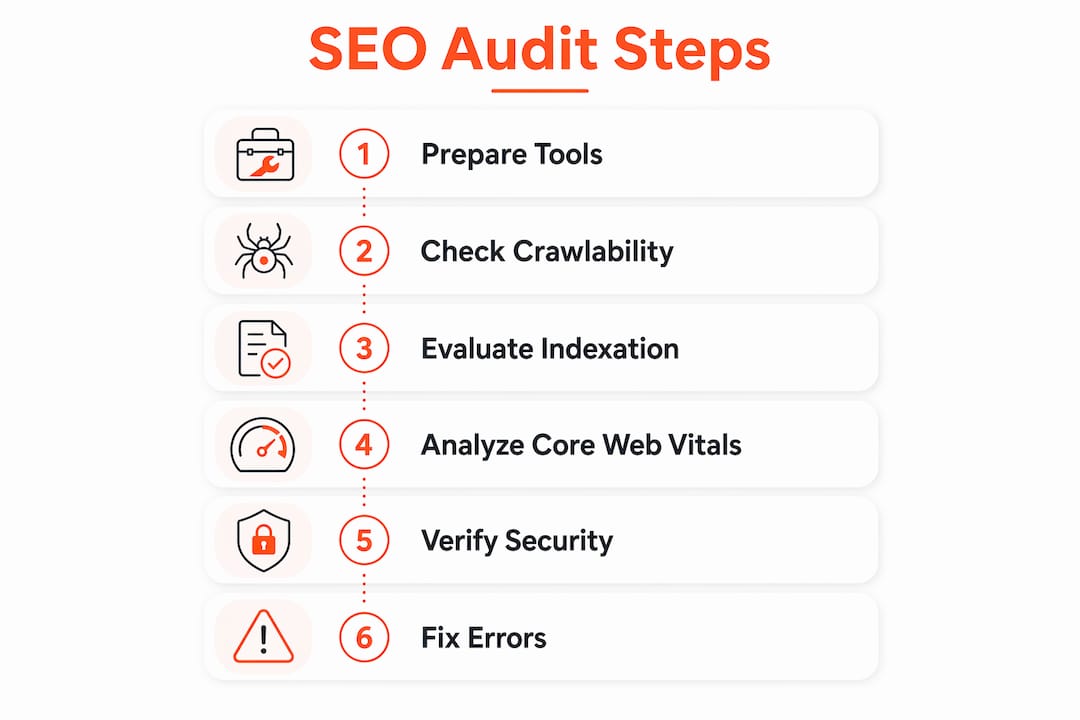
A technical SEO audit is the process of evaluating a website’s infrastructure to confirm that search engines can crawl, index, and rank it effectively. Without this foundation, even the best content strategy produces weak results. To conduct a technical SEO audit properly, you need Google Search Console, a crawler like Screaming Frog, and a clear sequence of diagnostic steps. This guide walks webmasters and digital marketers through every stage of that process, from tool setup to Core Web Vitals analysis, so you leave with a prioritized fix list rather than a vague sense of what went wrong.
What tools do you need to conduct a technical SEO audit?
Before running a single report, you need the right tools in place and verified access to your site’s data. Skipping this setup step is the single most common reason audits produce incomplete or misleading results.
Google Search Console (GSC) is the non-negotiable starting point. Verify your site in GSC and confirm you have access to these six reports before touching anything else:
-
Pages (Coverage): Shows indexed URLs and groups non-indexed URLs by reason
-
Core Web Vitals: Displays field data grouped by Good, Needs Improvement, and Poor
-
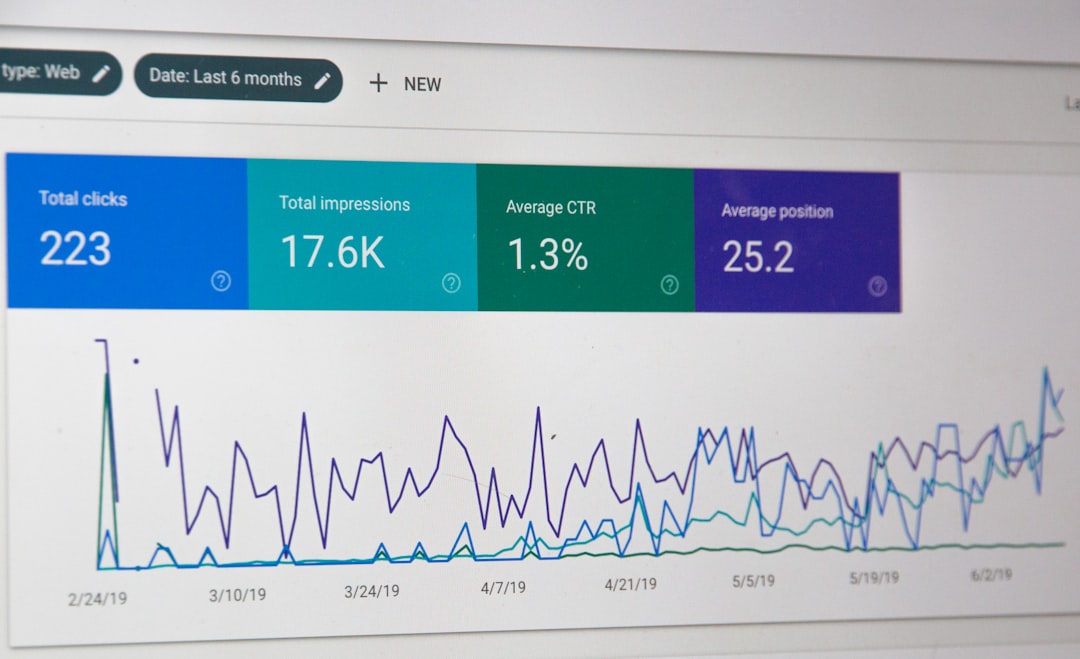
Performance: Reveals clicks, impressions, CTR, and average position by query and URL
-
Manual Actions: Flags any Google penalties applied to your site
-
Security Issues: Identifies malware, hacking, or deceptive content flags
-
Enhancements: Covers structured data errors and mobile usability issues
Beyond GSC, you need at least one crawler and one performance tool. Screaming Frog SEO Spider crawls your site the way Googlebot does, surfacing broken links, redirect chains, missing tags, and duplicate content at scale. For performance diagnostics, Google PageSpeed Insights and Lighthouse give you lab-based scores, while DebugBear and WebPageTest provide deeper waterfall analysis and real-user monitoring.
Pro Tip: Before starting the audit, confirm you have Owner or Full User permissions in GSC. Restricted access hides Manual Actions and Security Issues reports entirely, which means you could miss the most damaging problems on the site.

For a structured starting point, the technical SEO checklist from SearchX covers the core audit categories in a format you can work through systematically.
How do you evaluate crawlability and indexation status?
Crawlability and indexation are two separate problems that require separate diagnostic methods. A page can be crawlable but not indexed, or indexed but not crawlable by the right signals. Treating them as one issue leads to fixes that solve nothing.
Start with the Pages report in GSC. GSC’s Page Indexing report shows which URLs are indexed and groups non-indexed URLs by reason, including noindex tags, robots.txt blocks, soft 404s, and redirect issues. This grouping is what makes it the right starting point. Work through the non-indexed categories from highest volume to lowest, and cross-reference each group with the URL Inspection tool to confirm the diagnosis on individual pages.
Follow this sequence for a thorough indexation review:
-
Open the Pages report and export all non-indexed URLs with their stated reasons
-
Run a "site:yourdomain.com` query in Google Search to get a rough indexed page count
-
Use URL Inspection on your highest-priority pages to see the last crawl date and rendered screenshot
-
Check your XML sitemap submission in the Sitemaps report
-
Compare submitted URLs against indexed URLs to calculate your indexed-to-submitted ratio
On that last point, a high indexed-to-submitted ratio ideally above 90% signals a healthy sitemap. A ratio below 70% usually means weak pages are diluting your crawl budget or that structural issues are preventing Google from processing submitted URLs. Remove low-quality or thin pages from your sitemap before resubmitting.
Pro Tip: Sort non-indexed URLs by the “Excluded by noindex tag” reason first. These are pages Google found and chose not to index based on your own instructions. Confirm each one is intentionally excluded. Accidental noindex tags on product pages or blog posts are more common than most teams realize.
One critical distinction: robots.txt controls crawling, while noindex tags control indexing. Blocking a URL in robots.txt does not prevent it from being indexed if other pages link to it. Many teams apply robots.txt blocks expecting pages to disappear from search results, then wonder why they remain indexed months later.
How do Core Web Vitals affect your search rankings?
Core Web Vitals are Google’s primary page experience signals, and they directly influence rankings for pages competing in close-margin SERPs. The 2026 thresholds are LCP ≤ 2.5s, INP ≤ 200ms, and CLS ≤ 0.1, measured at the 75th percentile of real-user sessions. That 75th percentile detail matters more than most auditors acknowledge.
Core Web Vitals thresholds apply to the 75th percentile of field data, meaning Google ranks your page based on the experience of your slowest 25% of users, not your average user. A page that loads in 1.8 seconds for most visitors but 3.5 seconds for users on slower connections still fails the LCP threshold. This is why lab scores from Lighthouse often look better than your GSC field data.
Use the Core Web Vitals report in GSC to identify which URL groups fall into Poor status. GSC Core Web Vitals data is based on real-user CrUX data and groups pages into Good, Needs Improvement, and Poor. Export the Poor URLs and run them through DebugBear or WebPageTest to get a waterfall breakdown of what is causing the delay.
Key tools for performance debugging at each stage:
-
GSC Core Web Vitals report: Field data, URL groupings, trend over time
-
Google PageSpeed Insights: Combined field and lab data for individual URLs
-
Chrome DevTools Performance panel: Frame-by-frame rendering analysis for CLS and INP
-
DebugBear: Continuous monitoring with historical comparisons and element-level LCP attribution
-
WebPageTest: Multi-location testing with filmstrip view and third-party script impact
Pro Tip: Always fix mobile Core Web Vitals before desktop. Google uses mobile-first indexing, so your mobile field data is what determines ranking. A page that scores Good on desktop but Poor on mobile is still a Poor page in Google’s evaluation.
For a deeper look at profiling JavaScript-rendered pages for better scores, the SearchX guide on CSR performance profiling covers the specific debugging workflow for React and Vue-based sites.
Verifying structured data, HTTPS, and mobile usability
These three areas are frequently treated as secondary concerns during audits. They are not. A structured data error can cost you rich result eligibility. A mixed content warning can suppress HTTPS signals. A mobile usability failure can trigger demotion under mobile-first indexing.
Work through each area in this order:
Structured data: Open the Enhancements section in GSC and review any active rich result types your site uses, such as FAQ, Product, Article, or Review. GSC flags errors that prevent rich result eligibility separately from warnings that reduce coverage. Fix errors first. Use Google’s Rich Results Test to validate individual pages after making corrections.
HTTPS and security: Every page on your site should load over HTTPS with no mixed content warnings. Mixed content occurs when an HTTPS page loads HTTP resources like images, scripts, or stylesheets. Chrome flags these pages, and Google treats them as less secure. Run your homepage and key landing pages through a browser developer console to check for mixed content warnings in the Network tab. Then check the Security Issues report in GSC for any site-wide flags.
Manual actions: Manual actions and security issues in GSC cause significant ranking impact and must be reviewed at the start of every audit. A manual action means a human reviewer at Google has applied a penalty to your site. The report either shows active issues or confirms the site is penalty-free. If you find an active manual action, resolving it takes priority over every other audit task.
Mobile usability: The Mobile Usability report in GSC identifies pages with touch elements too close together, content wider than the screen, or text too small to read. These issues directly affect user experience and can suppress rankings on mobile queries.
Common mistakes that derail technical SEO audits
The most expensive audit mistakes are not technical oversights. They are conceptual errors that send you down the wrong diagnostic path for hours.
The robots.txt versus noindex confusion is the most widespread. Robots.txt controls crawling while noindex controls indexing, and treating them as interchangeable produces contradictory directives. A URL blocked in robots.txt but linked from other pages can still appear in search results as a URL-only result with no snippet. A URL with a noindex tag but no robots.txt block will be crawled repeatedly, wasting crawl budget.
For JavaScript-heavy sites, a 200 HTTP status code does not confirm indexability. A page returning status 200 does not guarantee Googlebot sees the content if client-side rendering fails or loads too slowly for the crawler. Use the URL Inspection tool in GSC to view the rendered screenshot Googlebot captured. If the screenshot shows a blank page or a loading spinner, your content is not being indexed regardless of what your HTTP response says.
Other frequent errors include:
-
Ignoring the Manual Actions report because “we haven’t done anything wrong”
-
Auditing only desktop performance while mobile metrics drive rankings
-
Submitting a sitemap with URLs that return 404 or redirect, which wastes crawl budget
-
Treating a one-time audit as a permanent fix rather than a recurring diagnostic
Pro Tip: First audits typically take 90 minutes to 4 hours, but recurring audits can be completed in 30 minutes once you have a baseline. Schedule a monthly GSC review and a quarterly full crawl with Screaming Frog to catch regressions before they compound.
Audits combining GSC, Screaming Frog, and Chrome DevTools with manual URL checks produce the most accurate diagnostics. No single tool sees everything Googlebot sees.
Key takeaways
A technical SEO audit works when you combine real-user field data from Google Search Console with crawler-based analysis and manual URL inspection, then prioritize fixes by ranking impact rather than ease of resolution.
| Point | Details |
|---|---|
| Start with GSC setup | Verify site ownership and confirm access to all six key reports before auditing. |
| Separate crawl from index issues | Robots.txt blocks crawling; noindex tags block indexing. Confusing them creates unfixable contradictions. |
| Use 75th percentile field data | Core Web Vitals thresholds apply to your slowest users, not your average load time. |
| Fix mobile metrics first | Google’s mobile-first indexing means mobile field data determines your ranking, not desktop scores. |
| Audit on a schedule | Monthly GSC reviews and quarterly full crawls catch regressions before they affect rankings. |
What I’ve learned from running hundreds of technical audits
The most common pattern I see is teams that run a single audit, fix the obvious issues, and then treat the site as healthy indefinitely. Technical SEO is not a one-time certification. Google updates its crawling behavior, sites add new templates, third-party scripts change, and page experience thresholds evolve. A site that passed every check in early 2025 can accumulate significant issues by mid-2026 without anyone noticing.
The second pattern is over-reliance on automated scores. A Lighthouse score of 90 feels like a green light, but Lighthouse uses lab data on a simulated connection. Your actual users on actual devices in actual locations produce the CrUX field data that Google uses for ranking. I have seen pages with Lighthouse scores above 85 sitting in the Poor category in GSC because their real-user INP was consistently above 400ms due to a third-party chat widget. The score looked fine. The ranking signal was not.
What actually works is a layered approach. Start with GSC reports to identify what Google has already flagged. Then use Screaming Frog to find structural issues GSC cannot surface, like redirect chains and duplicate title tags. Then use GSC API automation to monitor key metrics between full audits so regressions surface in days rather than months. Manual URL inspection fills the gaps that automated tools miss, particularly for JavaScript-rendered pages where the rendered output differs from the source HTML.
The auditors who get the best results are not the ones with the most tools. They are the ones who understand what each data source actually measures and where it falls short.
— SEO
Get a professional technical SEO evaluation from SearchX
SearchX is a results-focused SEO agency that turns technical audit findings into revenue-generating fixes, not just reports. If you have worked through this guide and want a professional evaluation of your site’s technical health, the SearchX team provides custom audits that go beyond automated scores to identify the specific issues holding your rankings back. Use the SEO score calculator to get an immediate baseline, then connect with the team at SearchX for a tailored audit and prioritized fix plan built around your traffic and conversion goals.
FAQ
What is a technical SEO audit?
A technical SEO audit is a systematic evaluation of a website’s infrastructure to identify issues that prevent search engines from crawling, indexing, or ranking it effectively. It covers crawlability, indexation, page performance, structured data, and security.
How long does a technical SEO audit take?
The first full audit typically takes between 90 minutes and 4 hours depending on site size. Recurring audits on a site with an established baseline can be completed in as little as 30 minutes.
What is the difference between robots.txt and noindex?
Robots.txt controls whether Googlebot crawls a URL, while a noindex tag controls whether a crawled URL gets added to the index. Blocking a URL in robots.txt does not remove it from search results if other pages link to it.
Which Core Web Vitals thresholds does Google use in 2026?
Google’s 2026 thresholds are LCP at or below 2.5 seconds, INP at or below 200 milliseconds, and CLS at or below 0.1, all measured at the 75th percentile of real-user field data.
Do I need paid tools to perform an SEO audit?
Google Search Console, PageSpeed Insights, and Lighthouse are free and cover the majority of a technical audit. Screaming Frog offers a free version for sites under 500 URLs, and Chrome DevTools is built into every Chrome browser at no cost.