
Why Your Google Position Matters (And Why It’s Not What You Think)
To check website position on google, you need to know where your website ranks in search results. This is crucial for your online success.
Here’s a quick way to find out:
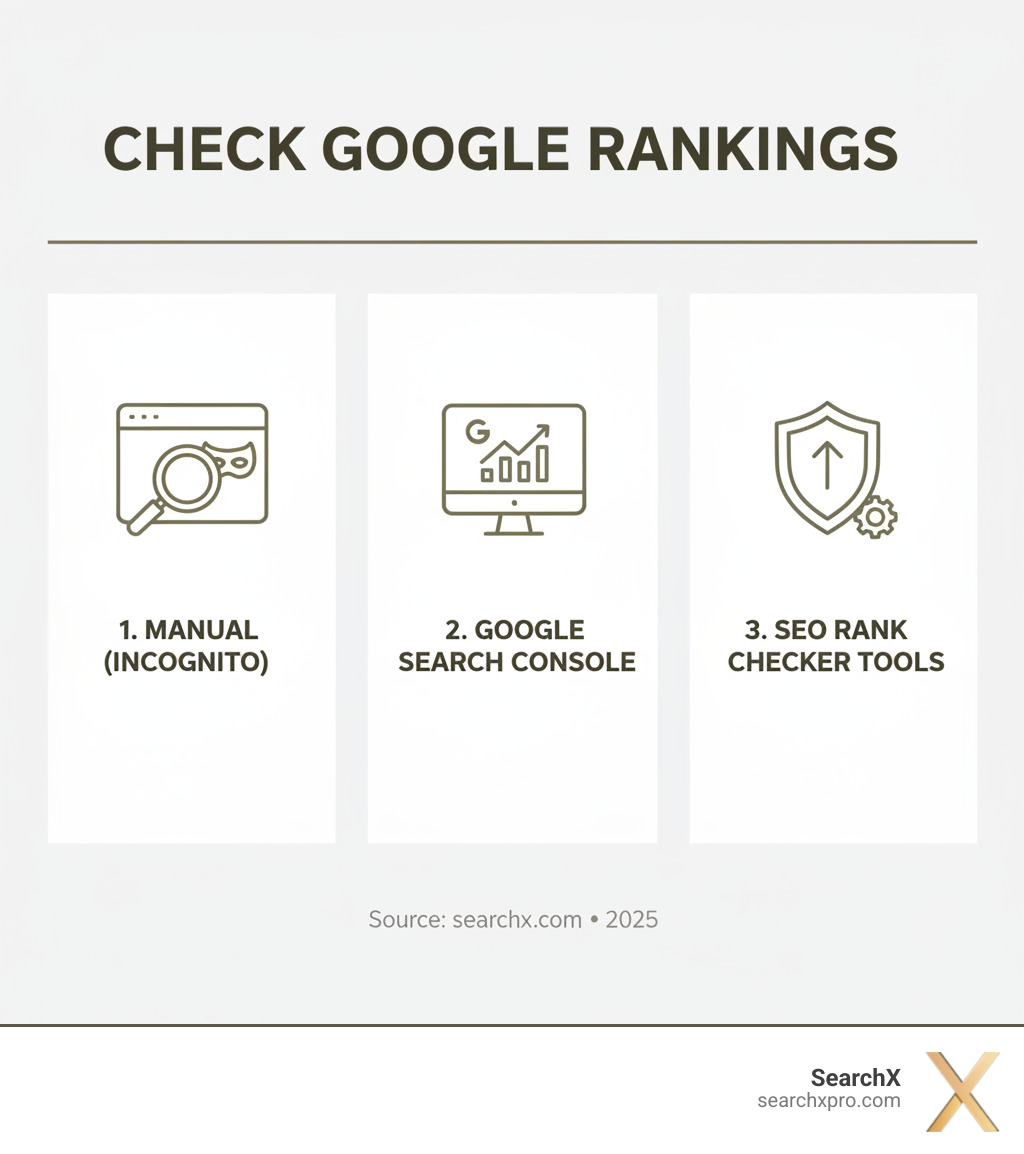
- Manual Search (Incognito): Open an incognito browser window and search for your keywords. Note your site’s position.
- Google Search Console: For your own site, use this free tool from Google to see average positions for keywords you already rank for.
- Dedicated SEO Rank Checkers: Use specialized tools to get unbiased, accurate, and detailed ranking data.
A Google rank is where your website appears on a Search Engine Results Page (SERP) for a specific keyword. Your rank directly impacts your website’s visibility, which is a key part of strong SEO performance.
As Lorenz Esposito, Founder of SearchX, I’ve spent years helping businesses improve their organic growth by accurately tracking and optimizing their Google rankings. My focus is on using data-driven strategies to check website position on google and ensure sustainable, measurable results.
Knowing where your website stands on Google is essential, but it’s not as straightforward as it seems. Google’s complex algorithm analyzes over 200 factors to deliver what it deems the most relevant results for any query.
The real challenge is search result personalization. Google doesn’t show everyone the same results. Your search experience is customized based on your location, search history, device, and browser settings. This means what you see when you check website position on google might be very different from what a potential customer in Charleston, Austin, or New York sees. This personalization creates a “filter bubble” that makes it difficult to gauge your website’s true standing.
Furthermore, with about 70% of internet traffic coming from mobile devices, Google implemented mobile-first indexing. This means Google primarily ranks sites based on their mobile performance. If your site isn’t mobile-friendly, its overall ranking will suffer. User experience on mobile, including page speed and navigation, is paramount. You can learn more in our guide on How Core Web Vitals Impact Mobile SEO.
These factors make manual checks potentially misleading, making it challenging to get an objective measure of your performance.
Key Factors That Influence Your Google Rank
While Google’s algorithm is secret, several key factors are known to influence rankings. Improving your position requires understanding and optimizing for them.
- Content Quality and Relevance: Your content must be comprehensive, unique, and directly answer user queries.
- Backlinks: Links from other reputable websites act as “votes of confidence,” signaling to Google that your site is trustworthy.
- Mobile-Friendliness: A responsive design that performs well on all devices is non-negotiable due to mobile-first indexing.
- Page Speed: Faster loading times lead to better user experience and improved rankings. Use our Website Speed Test Tool to check your site.
- User Engagement Signals: Metrics like bounce rate and time on page indicate to Google the quality and relevance of your content.
- Technical SEO: Optimizing your site’s backend for crawling and indexing is crucial. This includes site structure, sitemaps, and schema markup. Learn more in our Technical SEO Basics.
How to Manually Check Your Website Position on Google
Sometimes you just want to check website position on google yourself. The manual approach is tempting because it’s free and seems straightforward: open Google, type in a keyword, and scan the results until you find your site.
However, this process has serious drawbacks. While it costs nothing but your time, the downsides add up quickly:
- Time-Consuming: Manually checking more than a handful of keywords is incredibly inefficient.
- Impractical: Comprehensive tracking across different locations and devices is nearly impossible to do by hand.
- Inaccurate: Most importantly, manual checks are often misleading due to Google’s personalization. The position you see is likely different from what potential customers in Austin, Miami, or New York are seeing.
To get closer to neutral results when checking manually, you’ll need to take a few extra steps.
Step 1: Use an Incognito or Private Window
Your first move should be opening a private browsing window. This prevents your search history and cookies from influencing the results. When you browse in incognito mode (Chrome), private mode (Firefox or Safari), or InPrivate mode (Edge), your browser doesn’t use your past activity to personalize results.
- Chrome: Press Ctrl+Shift+N (Cmd+Shift+N on Mac).
- Firefox: Press Ctrl+Shift+P (Cmd+Shift+P on Mac).
- Edge: Press Ctrl+Shift+N.
- Safari: Press Shift+Cmd+N.
Incognito mode helps, but it’s not a perfect solution. Google can still use your IP address to determine your general location, meaning you’ll still see some location-based results.
Step 2: Adjust Google Search Settings
To get even closer to neutral results, you can tweak Google’s search settings. This helps simulate what users in different locations might see, which is valuable if you’re targeting multiple markets.
When you’re on a Google search results page, scroll to the bottom to find an option to change your location settings. This lets you simulate searches from other cities or countries. If you’re a Charleston business wanting to see how you rank in nearby Mount Pleasant, this feature can provide useful insights.
Another trick is adding &pws=0 to the end of the Google search URL. The “pws” stands for “Personalized Web Search,” and setting it to zero is meant to disable personalization. However, its effectiveness varies and it doesn’t eliminate all personalization factors, especially location-based results.
These manual methods provide a quick snapshot but are far from perfect. They are time-consuming and still subject to personalization. For accurate, objective ranking data, dedicated tools are essential.
Using SearchX Tools to Get an Biased Rank Check
Manually trying to check website position on google is inefficient and often inaccurate. At SearchX, we’ve built our rank checking and analytics tools to solve the personalization problem, giving you objective data that isn’t clouded by your own search history, location, or device.
Our approach involves scraping the actual Search Engine Results Pages to provide real, actionable insights. This gives you the kind of data needed to make smart decisions about your SEO strategy, whether you’re a startup in Austin or an established business in New York. We also integrate with platforms like Google Search Central (formerly Webmasters), pulling your important data into one place.
How to Check Website Position on Google with SearchX
Our SearchX Performance report connects to Google Search Console but presents the data in a way that’s more useful for business decisions.
- Average Position: This metric shows how your site ranks on average for all queries over a specific period. It’s more valuable than a single snapshot because it reveals trends, showing if your overall visibility is improving.
- Query Analysis: See the exact terms people use to find your site. This can uncover new content opportunities or reveal that you’re ranking for terms that don’t convert, helping you shift focus.
- Impressions and Clicks: This data tells a story that position alone can’t. A high ranking with a low click-through rate indicates a problem with your title tag or meta description, which our reports make visible.
Using our tools highlights why manual checks fall short. Tracking hundreds of keywords across different locations and devices is impossible to do manually. Our automated tracking provides historical data, so you can see how algorithm updates or your SEO efforts impact rankings over time. By integrating with tools like Google Analytics 4, you can also see how organic visibility translates into traffic and conversions. Learn more in our guide on How to Track Organic Traffic in GA4.
Using SearchX’s Live Rank Checker
For real-time data, our live rank checker is the solution. It checks your current ranking for a specific keyword instantly, without the influence of personalization.
Our live rank checker simulates a completely neutral search, giving you the clearest possible picture of where you actually rank. It checks the top 100 results, which is crucial for tracking progress. Moving from position 47 to 12 is a huge win you’d miss by only checking the first page.
Using the tool is simple: enter your domain and keyword to get instant results. This is especially valuable after making changes to your site, like updating title tags or building new backlinks, allowing you to quickly assess whether your efforts are moving the needle.
Whether you need historical trends or real-time snapshots, SearchX provides the unbiased data you need to truly check website position on google and make informed SEO decisions.
Advanced Rank Tracking: Gaining a Competitive Edge
Knowing how to check website position on google is critical, but manual checks are like using an old map—inefficient and unreliable. Automated rank tracking is your real-time GPS, providing the data you need for a true competitive edge.
Manually tracking dozens or hundreds of keywords is laborious and inaccurate. By the time you finish, the rankings may have already shifted. This is where SearchX’s dedicated rank tracker tools transform your SEO.
The benefits of automation go far beyond saving time. You gain access to historical data to see how your positions evolve, helping you understand what’s working. Competitor tracking becomes seamless, allowing you to monitor rivals and spot opportunities. Automation also brings scalability, letting you track thousands of keywords with the same effort, uncovering valuable long-tail opportunities. Learn more with our guide on How to Track Keyword Rankings Over Time.
What Data to Expect from a Dedicated Rank Checker
Our advanced rank checker provides a wealth of data to refine your SEO strategy, giving you a complete picture of the search landscape.
- Search Volume: See how many people search for a keyword each month to gauge potential traffic.
- Keyword Difficulty: Prioritize your efforts by identifying which keywords are realistically within reach.
- SERP Features: Track your presence in features like Featured Snippets, Local Packs, and Video Carousels, which can dramatically increase visibility.
- Traffic Forecasts: Estimate the potential organic traffic from ranking improvements to prioritize high-impact keywords.
- Organic vs. Paid Results: Assess the full competitive landscape, including who is running ads for your target terms.
This data creates a feedback loop: you implement changes, monitor results with historical tracking, and refine your approach based on objective data.
Tracking Local and Mobile Rankings
For businesses in specific areas like Charleston, Austin, or Naples, local SEO is paramount. Our tools let you check website position on google for specific cities, states, or even zip codes, ensuring you’re visible to the right customers. For a deep dive, explore our guide on How to Track Local Search Rankings Effectively.
With mobile-first indexing, your mobile performance dictates your overall ranking. Mobile and desktop rankings can differ significantly, and our tools differentiate between device types. This gives you a clear picture of your performance and helps you optimize for the on-the-go user.
How Often Should You Check Your Rankings?
You probably don’t need to check as often as you think. Daily fluctuations, or the “Google Dance,” are normal. Reacting to every minor shift is counterproductive. Instead, focus on meaningful trends.
For most businesses, checking rankings weekly or monthly is sufficient to identify genuine improvements or declines. However, more frequent monitoring is useful after algorithm updates or major SEO changes (like a site redesign) to gauge immediate impact. Consistent tracking also helps you monitor competitors and adapt your strategy proactively. Learn more in our article, How to Assess Core Update Impact on SEO.
Frequently Asked Questions about Checking Google Rankings
What is the difference between organic and paid search results?
When you check website position on google, you’ll see two types of results. Organic results are earned rankings that appear because Google’s algorithm finds your site relevant and authoritative. They show up naturally without an “Ad” label. Earning top organic spots requires solid SEO work and is highly valuable, as the top three positions capture the majority of clicks.
Paid results are advertisements, marked with an “Ad” label at the top or bottom of the page. Advertisers use a Pay-Per-Click (PPC) model, paying Google for each click. While paid ads offer quick visibility, they require ongoing investment. At SearchX, our focus is on organic results, which build sustainable, long-term authority and are more cost-effective over time.
How can I identify keywords that my website is ranking for?
Often, your site ranks for terms you never targeted. Google Search Console is a free tool that shows the actual search queries bringing visitors to your site, along with your average position and click data. This is essential baseline information.
SearchX’s keyword analysis features take this further by helping you uncover new keyword opportunities. We analyze your site, identify content gaps, and see what’s working for your competitors. This allows us to build a data-driven strategy to compete effectively for terms that drive qualified traffic. Learn more in our guide on How to Find Keyword Opportunities.
What is a Visibility Index?
Tracking individual keyword rankings can make it hard to see the big picture. A Visibility Index solves this by providing a single, comprehensive score that measures your website’s overall presence in Google search results.
This metric is more than a simple count of your rankings. It’s intelligently calculated by weighing several factors, including how many keywords you rank for, the search volume of those keywords, and the expected click-through rate for each ranking position. Because a #1 position for a high-volume term is more valuable than a #10 position for a low-volume term, the index reflects your true market share in search.
Using a Visibility Index provides a measurable benchmark for tracking progress over time and is invaluable for competitive analysis. It helps you see at a glance whether your overall visibility is trending up or down, allowing for better strategic planning in competitive markets like New York or Miami.
Conclusion: From Data to Dominance
Knowing how to check website position on google is more than just a manual search. Google’s personalization, mobile-first indexing, and local search mean that what you see isn’t what your customers see. Relying on manual checks is like flying blind.
Accurate, objective rank tracking is the foundation of any successful SEO strategy. The real power comes from understanding your complete search visibility—which keywords drive traffic, how you stack up against competitors, and where your biggest opportunities lie.
This is where consistent, automated tracking with SearchX becomes your competitive advantage. We help you move beyond vanity metrics to focus on what drives real business results. We don’t just show you a position number; we help you understand what it means for your revenue and growth.
The businesses that win online are the ones who use data to make informed decisions. They track consistently, adapt quickly, and focus on metrics that impact the bottom line.
Ready to stop guessing and start growing? Explore our comprehensive SEO Solutions and let’s build a strategy that turns your search visibility into measurable business success.